
Minecraft Server Lag in 2026: Diagnose TPS, MSPT, CPU and RAM
A practical, evidence-first guide to fixing Minecraft Java server lag: read TPS and MSPT, profile with spark, tune chunks, and diagnose CPU, memory and plugins.
Read article ↗Compare five real MIT-licensed JavaScript, TypeScript, and Python Discord bot starters, then learn how to deploy one safely on Volyx.

Starting a Discord bot from an empty folder feels simple until the first deployment. You need a command handler, an event handler, reliable configuration, a working start command, dependency management, and somewhere to keep the bot token out of the source code. A starter template can give you that foundation, but an attractive GitHub README does not guarantee that its dependencies still work in 2026.
This guide compares five real, free, MIT-licensed Discord bot templates using their published repositories. It explains where each one fits, how much setup it involves, and what to check before deploying on Volyx or another Linux-based bot host. You will also get a deployment workflow, a compatibility checklist, security advice, troubleshooting, and answers to common questions.
Quick answer: Choose sw3do/discord-bot-template if you want a JavaScript bot with both slash and prefix commands, arthurcorberes/discordjs-bot-template for JavaScript with built-in localization, BlueBlue21/discord-bot-template for a straightforward TypeScript project, Metolix/discord_py_starter for a modular Python starter with slash commands, or jvherck/DiscordPyBotTemplate for a more structured Python application with database and logging support. These are use-case recommendations, not results of measured benchmarks.
Editorial disclosure (October 20, 2026): We reviewed public README files and visible licenses for these projects. We did not independently execute all five templates or audit their dependencies. Requirements and repository contents can change. Before deployment, read each project’s current
README,LICENSE, manifest and lockfile, and check for security advisories. Open source is not the same as independently security-audited.
A useful template does not need a hundred features. In fact, a small bot that registers one /ping command correctly is often a better starting point than a massive project you cannot maintain. A good baseline exposes four things clearly: where you add commands, how credentials are loaded, how dependencies are installed, and how the bot starts in production.
Look for a recognizable entry point such as src/index.js, src/index.ts, main.py, or python -m bot. Check the dependency manifest (package.json, requirements.txt, or pyproject.toml) and whether it provides a reproducible installation path. A sample environment file is helpful, but the real token must never be committed. For long-running bots, inspect logging and error handling; otherwise a startup failure can look like a mysterious server outage.
A license is essential. Publicly viewable source code is not automatically open source. All five repositories featured here identify an MIT license, which broadly permits reuse and modification while requiring preservation of the applicable copyright and license notices when distributing covered software. Always verify the actual license in the repository you download.
Finally, ask whether its operating model matches your host. A bot expecting Docker Compose, Redis, or a publicly reachable HTTP port may not be suitable for a basic Node.js or Python allocation without extra services. A Gateway-connected Discord bot that only uses slash commands typically does not need a public web server, whereas a webhook-based application can have different requirements.
We favored projects that present themselves as templates rather than closed, hosted bot services; identify a permissive license; expose setup documentation; and represent genuinely different starting points. We deliberately did not rank repositories by GitHub stars, because stars do not measure code safety, maintenance quality, deployability, or suitability for a particular bot. There is no claim that any template is the fastest or most secure.
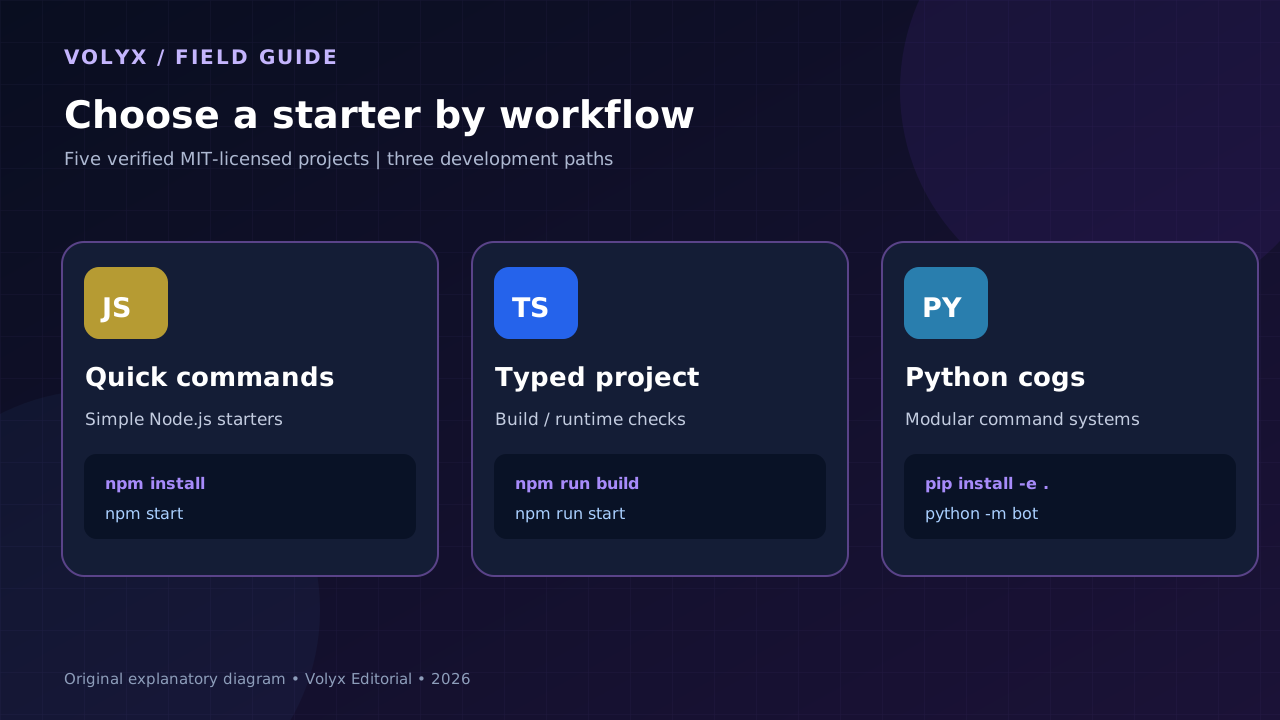
| Template | Language | Ideal starting point | Main attraction | Check before deploying |
|---|---|---|---|---|
| sw3do/discord-bot-template | JavaScript | Beginners who want both command styles | Prefix and slash handlers with a sample ping | Gateway intents; Node/discord.js versions |
| arthurcorberes/discordjs-bot-template | JavaScript | Multilingual community bots | i18n, modular handlers, logging | Configuration files and whether logs persist |
| BlueBlue21/discord-bot-template | TypeScript | Developers learning typed bots | TypeScript compilation and straightforward scripts | Dependency age, Node and TypeScript compatibility |
| Metolix/discord_py_starter | Python | Small slash-command projects | Cogs, structured logging, optional SQLite | Python 3.11+, editable installation and data path |
| jvherck/DiscordPyBotTemplate | Python | Structured, growing bot projects | Configuration, SQLAlchemy, cogs and rotating logs | Persistent storage, database settings, extra dependencies |
All five list MIT as their license in the source repositories reviewed. The labels above describe intended use, not comparative performance measurements. Free source code does not guarantee free compute, unlimited RAM, or uninterrupted hosting. Volyx uses a Coins-based hosting model, so resource availability and renewals depend on your account and current platform rules.
Repository: github.com/sw3do/discord-bot-template
License: MIT
Best for: A small or medium JavaScript project whose owner wants to experiment with both /ping and traditional text commands.
This starter separates slash commands and prefix commands into dedicated folders under src/commands/. Its documentation also describes event handlers, a sample ping command, error logging, and configuration through environment variables. The production command documented by the maintainer is npm start, with npm run dev for development.
# Run these inside your own copy of the template
npm install
npm start
The README names DISCORD_TOKEN and CLIENT_ID as required settings, with PREFIX and DEBUG as optional settings. Configure credentials through Volyx’s secret or startup-variable controls when compatible with the project’s configuration loader; do not paste a bot token into a public repository or troubleshooting screenshot.
A new developer can identify where a command belongs without searching a single enormous file. This matters when you graduate from ping to moderation utilities, ticket controls, or administrative commands. Slash-command handling can be used for new features; prefix commands remain available for communities that need them.
Prefix commands that depend on reading ordinary message text can require Discord’s Message Content privileged intent. A bot that only processes slash commands usually does not require that intent. The README mentions an older Node.js minimum; that should not be used as proof of compatibility with the latest discord.js. Check the installed discord.js version and its current Node requirements before selecting the runtime. Also review requested bot permissions and disable anything your bot does not need.
Volyx fit: Reasonable for a Node.js bot allocation if the selected Node runtime satisfies the package lockfile and you can provide the required secrets. Verify that npm start actually launches the expected main file.
Repository: github.com/arthurcorberes/discordjs-bot-template
License: MIT
Best for: A community bot that may need more than one language, organized slash commands, and reusable utility modules.
This template documents separate src/commands/, src/events/, src/locales/ and logging utilities. That makes it interesting for support communities where a single feature may eventually need different replies for Arabic and English, even though this article itself is written in English. It also provides a ready example showing how to define and respond to a slash command.
Its documented setup path is:
npm install
npm run start
Unlike the first template, this project’s README describes copying config.example.json to development and production configuration files. Do not assume the configuration format is the same as a .env-based starter. Inspect which values the loader reads and how to keep credentials private. If a template expects a token in a configuration file, adapt it to a private environment variable before publishing or sharing the project.
A bot can keep command identifiers predictable while returning translated user-facing text. Centralizing strings reduces translation errors when a feature changes. More advanced bots may also support Discord’s localization features for command names and descriptions; adding a translation file by itself does not implement every Discord localization capability.
File-based logs can become large. On resource-limited hosting, configure rotation and retention; otherwise diagnostic output can consume your storage allocation. Confirm that configuration variants and any generated log directories are correctly ignored by Git. Finally, a repository’s examples can lag behind changes in Discord’s API, so test command registration on a private development guild before inviting users.
Volyx fit: A useful choice for a lightweight multilingual bot if dependency versions work with your selected Node runtime and generated log files fit within your allocation. Localized command content is your application’s responsibility.
Repository: github.com/BlueBlue21/discord-bot-template
License: MIT
Best for: Developers who want to edit .ts files and learn the difference between development source and deployable output.
The repository provides a TypeScript-based discord.js v14 starting point, a tsconfig.json, a package manifest, an example environment file and build/start scripts. The maintainer’s README describes the following sequence:
npm install
npm run build
npm run start
That sequence is important. If the project transpiles TypeScript to JavaScript, running node src/index.ts with an incompatible runtime can fail, while running the configured compiled output succeeds. Use the scripts from the downloaded package.json instead of guessing dist/index.js, because the compiler output location is controlled by tsconfig.json.
TypeScript can catch some type and interface mistakes before deployment, improve autocomplete, and document the shape of command data. It does not prevent all runtime errors or validate a Discord token. You still need ordinary error handling, proper Discord permissions, and tests with real interactions.
This template is a starting point, not a guarantee that its locked dependencies are current. Check npm ls discord.js after installation, examine package scripts and dependency advisories, and select a supported Node.js version. If you upgrade to the latest discord.js, its official documentation currently specifies Node.js 24.17.0 or newer. An older pinned version can have different requirements, but should also be evaluated for maintenance and security updates.
Volyx fit: Volyx has offered TypeScript runtime options, but you must select a runtime/launch method supported by your actual server image. Compile first when the template expects compiled JavaScript, and verify its startup command through the console.
Repository: github.com/Metolix/discord_py_starter
License: MIT
Best for: Python developers who want cogs, slash commands, simple persistence and readable logs without writing everything from scratch.
The project describes a Python 3.11+ foundation with extension-based commands, discord.Intents.default(), an optional SQLite helper, basic testing and Docker support. Its documentation includes /ping, /about, /invite and /reload; the last is restricted to the configured owner. You do not need to deploy Docker simply because a template includes a Dockerfile.
For this particular starter, the official installation command is an editable package install, not necessarily a traditional requirements.txt workflow:
# From the repository root in a compatible Python environment
python -m pip install -e .
python -m bot
The repository’s development instructions use pip install -e ".[dev]"; installing only the application dependencies avoids adding test and lint tooling to a small production instance where possible. Check the current pyproject.toml before assuming this command is supported by your chosen host image.
The documented environment settings include DISCORD_TOKEN, optional DISCORD_GUILD_ID, DATABASE_PATH and LOG_LEVEL. For a test server, a guild ID can make command iteration more predictable; for a released bot, command deployment strategy should match the project’s actual code.
Each cog is a focused module rather than a monolithic file. You can add a moderation command without mixing it into token loading, startup or logging. SQLite is a practical starting point for small stateful features, but database files must live on persistent storage. If the host rebuilds the filesystem or you delete the instance without a backup, a local SQLite file can disappear.
Volyx fit: Consider a Python 3.13 server if all project dependencies support it; Volyx’s older Python 3.10 option would not meet the template’s advertised Python 3.11+ requirement. Confirm the Python executable and writable data directory before deploying.
Repository: github.com/jvherck/DiscordPyBotTemplate
License: MIT
Best for: Developers building a larger Python bot that needs structured configuration, extension loading, a database layer and ongoing diagnostics.
This is the most application-oriented choice of the five in this list—not a measured performance winner. Its README describes discord.py, Pydantic configuration, SQLAlchemy with asynchronous support, rotating logs, command tracking, database options and owner-focused administration utilities. Those are useful patterns once a bot moves beyond a handful of independent slash commands.
The repository documents a direct Python setup without requiring Docker:
python -m pip install -r requirements.txt
python main.py
It identifies DISCORD_TOKEN as the minimum required secret. SQLite is the default documented database option, with PostgreSQL described as an alternative. The presence of optional database and container configuration does not mean you must run PostgreSQL or Docker on every free host. Start with the smallest supported configuration; only add infrastructure your project actually uses.
A database manager can help keep persistence code separate from command callbacks. Rotating file logs improve diagnosis without keeping one unbounded log file. Typed configuration helps spot missing settings earlier. These features also add dependencies and configuration work. If your project needs only a /ping command, this starter may teach you more concepts than you need on day one.
Check database connection strings, file permissions, migration requirements, log storage, optional features and the bot’s configured intents. Confirm it can recover cleanly from an interrupted connection and from a restart without losing state. Avoid running automated database migrations against an important dataset without a backup and a rollback plan.
Volyx fit: Potentially useful on a Python allocation with compatible dependencies and enough persistent storage. Where PostgreSQL is available on your plan, it can be considered separately; do not assume it is included on every instance.
The simplest decision is often the best one. Start from the feature your bot must deliver, not the longest GitHub feature list.
| Your goal | Consider first | Reason | Trade-off |
|---|---|---|---|
| Learn JavaScript command handlers | sw3do | Clear slash and prefix examples | Prefix commands may need privileged intent access |
| Build a multilingual JavaScript bot | arthurcorberes | Locale files and modular layout | Review config-file secret handling |
| Learn TypeScript compilation | BlueBlue21 | Build/start scripts and typed source | Dependency compatibility must be checked |
| Learn Python cogs and slash commands | Metolix | Focused Python modules and optional SQLite | Requires Python 3.11+ |
| Grow a Python bot with persistence | jvherck | Config, SQLAlchemy and logging structure | More setup and persistent storage planning |
Do not interpret the table as a ranking of reliability. We did not run standardized load tests or security audits. A minimally configured bot with one slash command can have a smaller attack surface and lower operational overhead than an ambitious framework with many unused extensions.
The following workflow focuses on actions a bot owner can take through the panel, without asking for root access on a shared node. The exact buttons and supported package tools can vary by allocation and runtime. The Volyx hosting plan and Coins availability determine how long the instance can remain active; do not treat a free account as a guarantee of indefinite uptime.
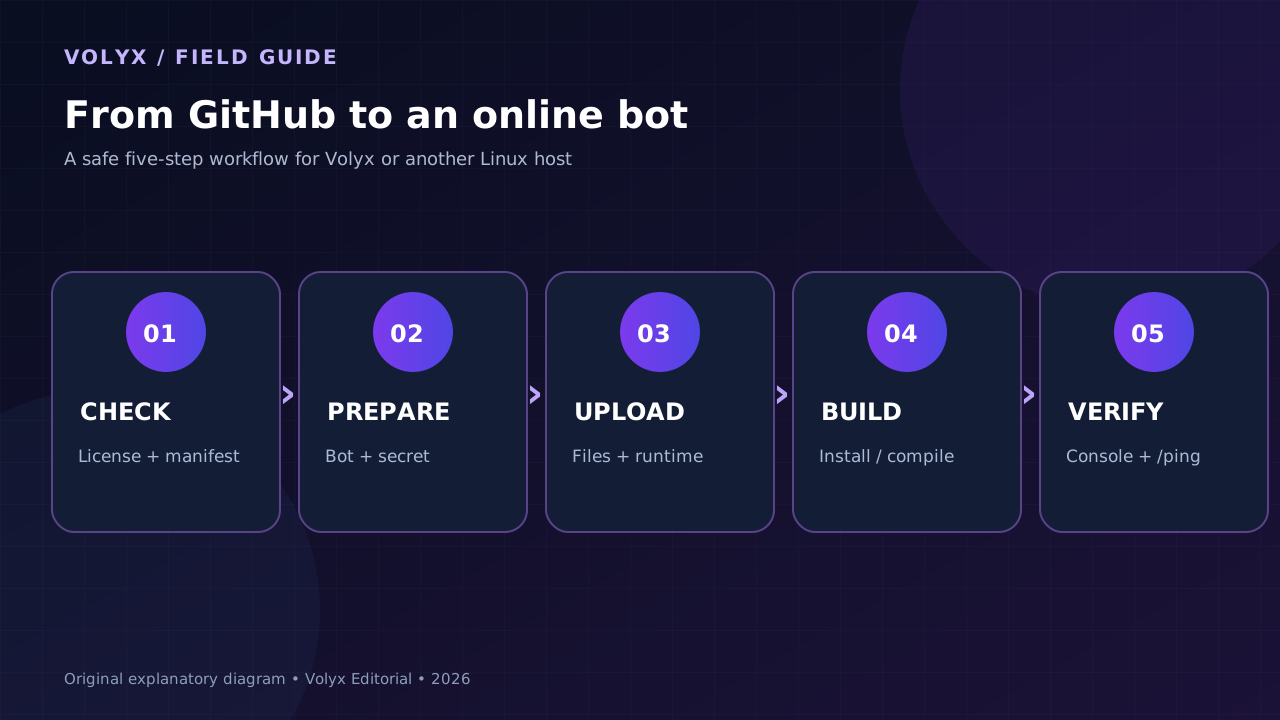
Open the GitHub repository and read README.md, LICENSE, .env.example and the dependency manifest. Look for obvious credential leaks, suspicious network calls, hard-coded tokens, post-install scripts and unnecessary permissions. Check the issue tracker and the date of recent maintenance. An MIT label does not replace this inspection.
Safe workflow: use GitHub’s Use this template feature where available, or download the source to your computer and examine it. Run dependency checks and a test bot in a private Discord server before making it part of a public community. Avoid treating a random archive as trusted merely because it has many stars.
Use the Discord Developer Portal to create an application. Enable a bot user, obtain the token through the portal and record the Application ID. Install the bot into a server you control with the necessary bot and/or applications.commands authorization. Grant only the permissions required by its features; basic /ping does not require Administrator.
Never put a real token in screenshots, a public paste, or a public GitHub issue. If you disclose it by mistake, reset the token immediately and update the secret on the hosting service. Also distinguish a bot token from the public application ID: the token is the secret.
Sign in at Volyx, open Panel → Servers, and create or select a bot-hosting instance where available. Choose the correct runtime. The TypeScript template may require a build step; the Python templates above require Python 3.11+; JavaScript templates depend on their lockfile’s version of discord.js.
Important 2026 compatibility check: the current official discord.js documentation calls for Node.js 24.17.0+. A generic node:24 label or a README that says Node 16 does not prove compatibility with the latest release. Confirm the exact installed Node version and your dependency lockfile. Avoid upgrading a production bot by blindly deleting its lockfile.
Use Files to upload the selected project, with package.json and its lockfile for Node.js projects or requirements.txt/pyproject.toml for Python. Keep the folder structure intact. Do not upload node_modules from a Windows computer into Linux hosting: native modules may target the wrong operating system or CPU architecture. Instead, install dependencies on the target environment when the panel and runtime permit it.
If a template depends on Docker Compose, a Redis service, a database server or persistent filesystem paths, confirm those requirements first. The presence of a Dockerfile does not imply Docker is available inside your shared bot container.
Use the hosting panel’s supported startup variables or private secret configuration to provide the actual token. Some templates read environment variables directly; others load .env or JSON configuration files. Adapt the template’s loader to the secret mechanism available on your instance rather than copying the token into a source file. When a private file is unavoidable, restrict its permissions and exclude it from version control and public backups.
For a Node.js template, an environment might conceptually include these values:
# Illustrative variable names — follow the chosen template's README
DISCORD_TOKEN=replace_locally_with_private_token
CLIENT_ID=your_application_id
For Python, the required key may still be DISCORD_TOKEN, but optional database and guild settings differ between projects. Do not assume two templates share exactly the same variable names.
Below are examples documented by the specific repositories, not universal commands for every Discord project:
# sw3do JavaScript template
npm install
npm start

# BlueBlue21 TypeScript template
npm install
npm run build
npm run start

# Metolix Python template (if editable installs are supported)
python -m pip install -e .
python -m bot

# jvherck Python template
python -m pip install -r requirements.txt
python main.py
A hosting panel may run installs during server setup or provide a separate terminal. Configure the startup command to match the template and your environment; do not paste four examples into one startup field. When a project builds TypeScript, verify the compiled output or npm run start actually points to the built file.
Start the server and watch Console. A success message usually confirms the bot has authenticated and loaded commands, but a connected Gateway alone does not prove every command works. In Discord, run /ping (or the equivalent documented test command), confirm the reply, and verify your intended roles can use it. Check that the command was registered to the right guild or globally.
After it works, perform one controlled restart and repeat the test. This catches problems that only appear after a clean boot, such as a missing environment variable, a command register task that did not run, or a SQLite database file written to the wrong directory.
Retain your repository URL and commit revision, and document the Node/Python version you deployed. Keep private backups of persistent databases where supported, rotate logs, test dependency updates in a separate environment, and use a minimally privileged Discord invite. An inactive or expired hosting allocation may stop the bot; monitor actual status instead of promising “always online.”
Practical Volyx advantage: a browser-based console, files and startup settings make these checks easier than leaving a development PC powered on. But the free hosting experience is still governed by resource allocations, Coins and the platform’s policies.
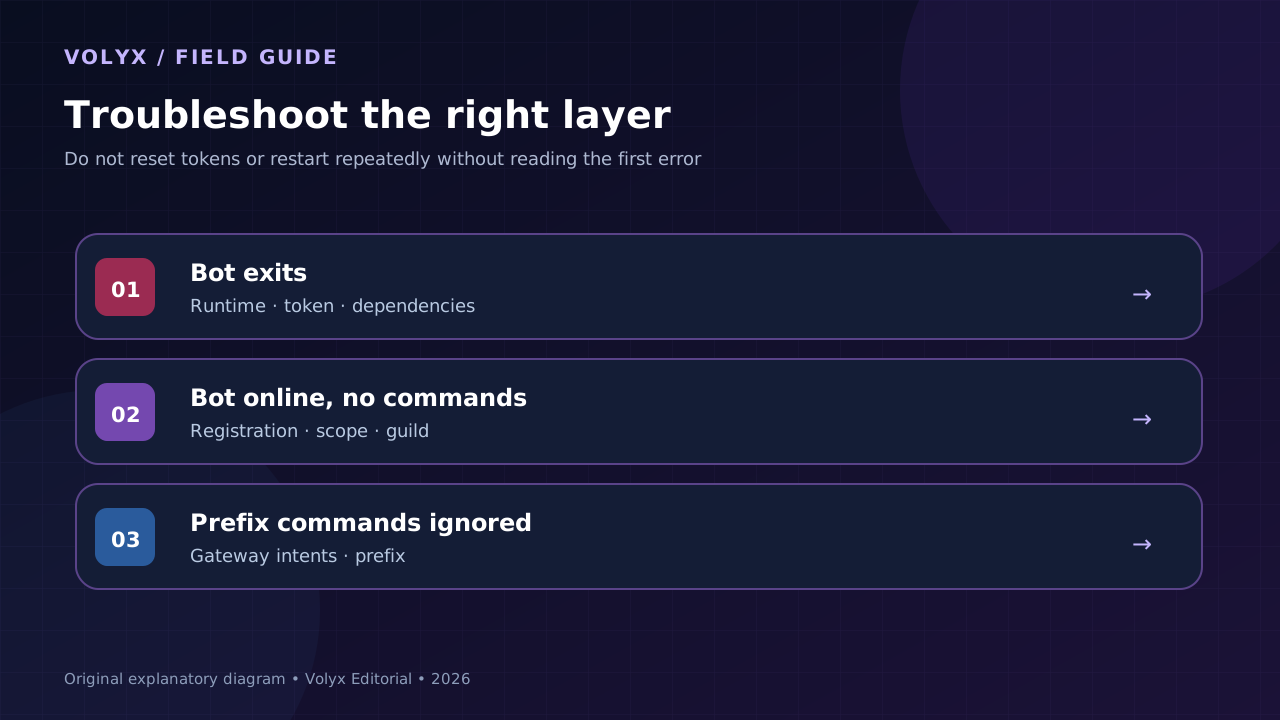
This usually means the process cannot start or authenticate. Examples include a missing DISCORD_TOKEN, a wrong entry point, an incompatible Node version, a dependency install that failed, or a Python package import that cannot be resolved. Read the first meaningful exception above the final exit message. If a TypeScript project expects a build step, check whether the compiled output exists before restarting again.
A bot can connect successfully while commands remain unregistered. Verify whether the template uses guild-scoped or global registration, that the correct Application ID and guild are configured, and that it has the applications.commands authorization. Test with a private guild. Do not repeatedly reset the token as the first fix; token regeneration will not repair missing command registration by itself.
Prefix commands that read a normal user’s message content may need a privileged intent. Check that the intent is enabled in the Developer Portal and the bot’s code when genuinely necessary. Slash commands do not require Message Content to read a typed slash interaction. If you can migrate a feature to slash commands, you may reduce your reliance on privileged message access.
| Symptom | Inspect first | Typical fix | What not to do |
|---|---|---|---|
Cannot find module | Install output and package.json | Install declared dependencies using compatible runtime | Copy Windows node_modules to Linux |
| Unsupported Node version | node --version, lockfile, library docs | Select supported Node release | Assume README minimum is current |
Python ModuleNotFoundError | Python executable and dependency manifest | Install into the interpreter used by startup | Use a different Python executable for pip |
| Discord invalid token | Environment variable name and token source | Correct/rotate token privately | Post token publicly for debugging |
| Slash commands missing | Registration mode and OAuth scopes | Register against correct guild/application | Grant Administrator blindly |
| Prefix command ignored | Gateway intents and prefix settings | Enable only necessary intents or use slash | Enable all privileged intents by default |
| Database resets | Database path and storage persistence | Keep data in persistent storage and back it up | Treat temp directories as permanent |
| Bot restarts repeatedly | First exception and resource limits | Fix process error and review allocation | Add a tight infinite restart loop |
A template is third-party code running with the privileges of your Discord bot. That means its trust boundary deserves real attention. These checks are fast and usually more useful than another decorative badge on a README:
These steps reduce risk; they do not prove that a repository is free of vulnerabilities. A reputable license and well-organized source code are not substitutes for testing.
For a personal slash-command bot, a modest Node.js or Python allocation may be all you need. For an application doing image processing, large database queries, many scheduled jobs or intense real-time work, the same allocation may be insufficient. You cannot infer RAM usage from language alone: the libraries, command handlers, connected guilds, caching, log volume and database choices all matter.
In Volyx’s model, you can begin with free hosting supported by Coins, subject to the platform’s availability and account rules. Before deploying, check the actual memory and CPU allocation, supported runtime version, disk space, network restrictions, and any expiration or renewal rules shown in your panel. A template with optional PostgreSQL can use SQLite in the documented default configuration when its data requirements are small and storage is persistent.
If you expect sustained growth, add meaningful monitoring before paying for a bigger plan: record restart counts, memory high-water marks, startup time and error frequency. There is no universal “X guilds per gigabyte” number that applies to all five templates.
Each repository reviewed publicly identifies an MIT license and provides source code. That means you can inspect and reuse the software subject to the terms of the actual license. Running it still requires compute resources, and third-party infrastructure or premium APIs may cost money. Review the license in the exact revision you download.
If you already know JavaScript, the sw3do starter gives a clear distinction between prefix and slash commands. If you know Python, Metolix’s cog-based design can be a good entry point. “Best” depends more on the language you can debug than the number of features the template advertises.
They are plausible candidates when the necessary runtime, package tooling, permissions and storage are available on your particular instance. They have not all been independently tested on every Volyx server image. Check Node/Python versions and startup scripts first; complex dependencies may require additional setup.
No. A template is application source code, not an uptime contract. A hosting provider can have resource limits, expiration periods, renewal requirements, maintenance windows or service interruptions. Check Volyx’s current Coins and hosting terms in your account.
The current official discord.js documentation specifies Node.js 24.17.0 or newer. An older pinned discord.js release may have different requirements, but you should evaluate its maintenance and security posture before depending on it. Check the actual installed package version rather than assuming every repository uses the newest release.
Some runtimes can execute certain TypeScript files, and Volyx has supported TypeScript runtime options. However, the BlueBlue21 template documents a build then start process. Follow the project’s own scripts and compiler configuration instead of assuming an arbitrary .ts file can be passed to Node unchanged.
Language alone is not a reliable prediction. For many small community bots, network and Discord API latency dominate simple commands. Heavy computation, blocking operations, data access and implementation details can create bottlenecks in either stack. Measure your actual workload before selecting a language for performance reasons.
Not simply to receive and respond to an application command interaction. Message Content, Members and Presence intents should be requested only for features that need them and may require enabling them in the Developer Portal. An old prefix-command example is not a reason to grant all privileged intents to a new bot.
Use the application’s private environment or the hosting platform’s protected secret mechanism. Avoid hard-coding secrets, uploading .env publicly, or exposing tokens in logs. If you suspect exposure, reset the token in the Discord Developer Portal and update every running instance that uses it.
Metolix documents optional SQLite support; jvherck documents SQLAlchemy with SQLite and PostgreSQL options. Other starters can be extended with a database, but you must add the necessary code and dependencies. Database capabilities do not imply that every hosting plan includes an external database server.
/ping missing?It may be connected to the Gateway but missing application command registration, scopes, or correct guild configuration. Verify the Application ID, target guild, register script and invite authorization; allow for the template’s chosen registration model. Inspect errors instead of repeatedly changing your token.
An MIT license generally permits commercial use with preservation of applicable notices, but review the exact repository license and any separately licensed assets or dependencies. Avoid implying that Discord endorses your bot or that a template maintainer provides paid support.
Start with the language you can maintain. Pick one of the five repositories, read its current documentation, create a private test bot, confirm the actual runtime requirements, and verify a single slash command before adding a database, dashboard or moderation features. When you are ready to host it, use Volyx to review the available bot server options and resources.
Remember: choosing a template is only the start. A healthy deployment is one that you can restart, debug, update and recover without losing credentials or data. That discipline matters more than the number of features you get for free on day one.
Repository details and library requirements reviewed on October 20, 2026. Links point to their maintainers; no code or images from these repositories have been republished in this article.
Explore more in-depth articles with code, visuals, and practical walkthroughs.
Browse all articles ↗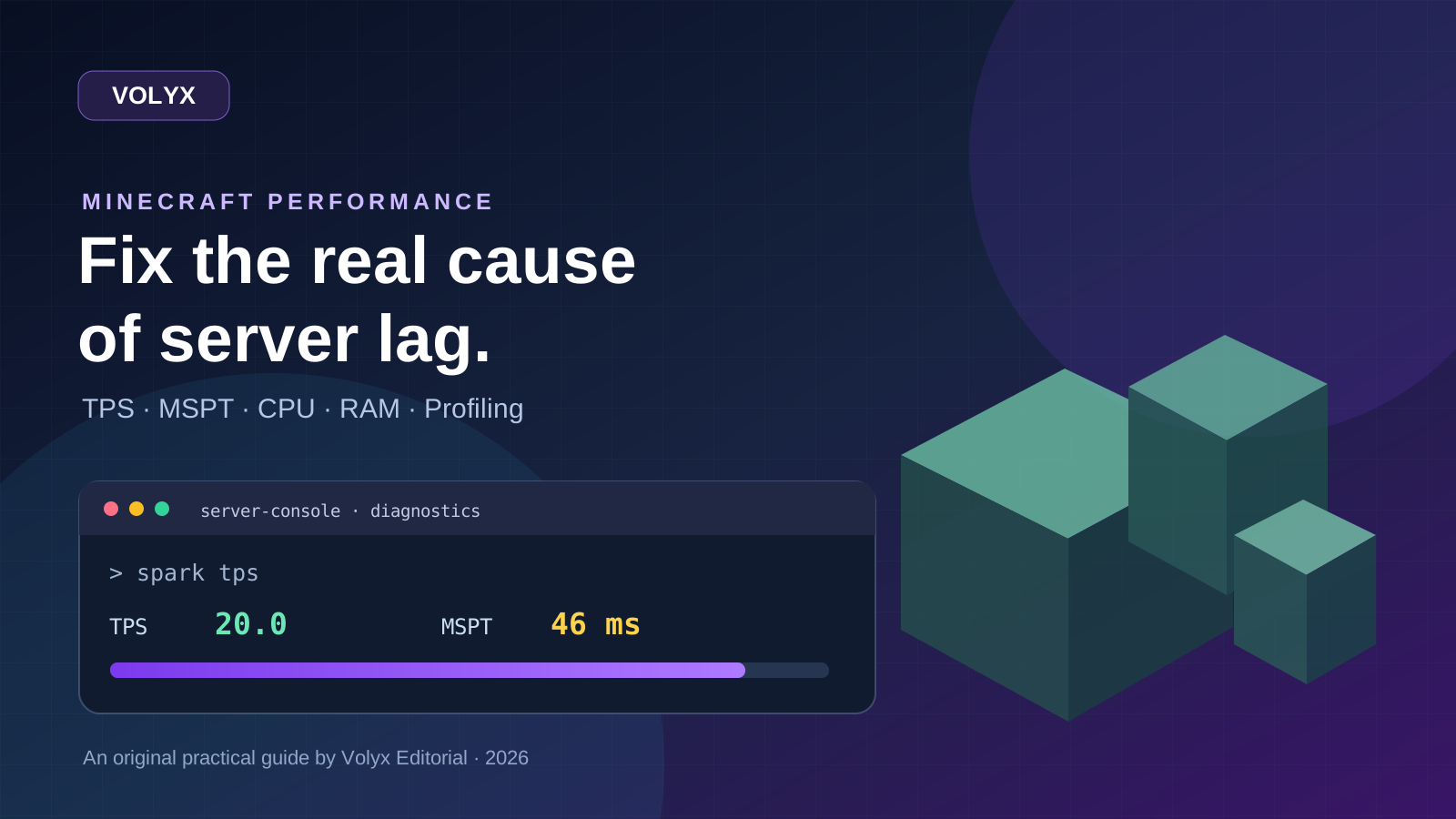
A practical, evidence-first guide to fixing Minecraft Java server lag: read TPS and MSPT, profile with spark, tune chunks, and diagnose CPU, memory and plugins.
Read article ↗
Learn the difference between DDoS floods and Minecraft bot raids, secure a Paper or Velocity server, compare TCPShield and Cloudflare, and respond safely using Volyx.
Read article ↗
Build a Telegram webhook bot with Node.js, secure its secret header, configure HTTPS and a reverse proxy, then deploy it on a compatible cloud host or Volyx.
Read article ↗