
Minecraft Server Lag in 2026: Diagnose TPS, MSPT, CPU and RAM
A practical, evidence-first guide to fixing Minecraft Java server lag: read TPS and MSPT, profile with spark, tune chunks, and diagnose CPU, memory and plugins.
Read article ↗Learn the difference between DDoS floods and Minecraft bot raids, secure a Paper or Velocity server, compare TCPShield and Cloudflare, and respond safely using Volyx.
A friend tries to join your Minecraft world, waits at Connecting to server, and times out. Ten seconds later, your console fills with join attempts from unfamiliar usernames. Is somebody flooding your network, sending automated logins, or simply triggering a plugin bug? Those failures can look alike to players—but they need different fixes.
This guide explains a layered approach to protecting a Minecraft Java Edition server in 2026. You’ll learn what a DDoS mitigation service does, what in-game anti-bot measures can and cannot stop, how to keep a Velocity backend private, and how to investigate a suspicious event using the familiar Volyx server panel. The instructions also apply to many other Pterodactyl-style hosts; available network controls depend on your provider and plan.
Quick answer: For a small private server, start with account authentication, an allowlist, updates, backups, and restricted administration. For a public server, add a Minecraft-aware edge proxy or upstream DDoS mitigation where supported, secure the origin against direct access, and carefully tune join and chat protections. A plugin cannot absorb a flood that has already filled your hosting provider’s network connection.
What this guide does not claim: We have not independently verified the upstream DDoS filtering capacity, per-instance firewall controls, or guaranteed uptime for every Volyx server. Check your active server’s protections and ask Volyx support before making assumptions about a specific allocation. None of the example configurations is a promise of attack-proof hosting.
These terms describe different parts of the connection path. A distributed denial-of-service (DDoS) attack tries to exhaust a service’s network capacity or processing resources using traffic from multiple sources. A connection flood can consume the resources involved in establishing sessions. An application-level bot raid can use automated clients to attempt logins, join repeatedly, send chat, or execute commands. Ordinary traffic surges, broken mods, a misconfigured proxy, and compromised plugins can produce superficially similar symptoms.
The first diagnostic mistake is to label every lag spike or disconnection an attack. A busy farm might lower server TPS; a bad DNS record might keep all players out; your host might have an unrelated network incident. Use evidence before selecting a defense.
| Symptom | Possible explanation | Best initial check | First line of defense |
|---|---|---|---|
| Many users time out, console shows little activity | Network saturation, upstream routing or outage | Host incident status and network telemetry | Provider or edge-network mitigation |
| Hundreds of connections or handshake failures | Automated connection attempts or incompatible clients | Connection rate and proxy logs | Protocol-aware filtering and rate controls |
| New accounts join and leave repeatedly | Bot raid or legitimate event influx | Join patterns, usernames and timestamps | Authentication, allowlist or verified onboarding |
| Repeated chat or command spam from joined users | Abusive accounts or inadequate moderation | Player audit and chat logs | Chat cooldowns and moderation controls |
| Blocks and mobs freeze, users remain connected | Tick lag, plugin overload or world activity | TPS/MSPT and a profiler | Optimize the actual workload |
| Only one region cannot connect | ISP route, regional packet loss or filtering | Several independent player tests | Troubleshoot routing and edge location |
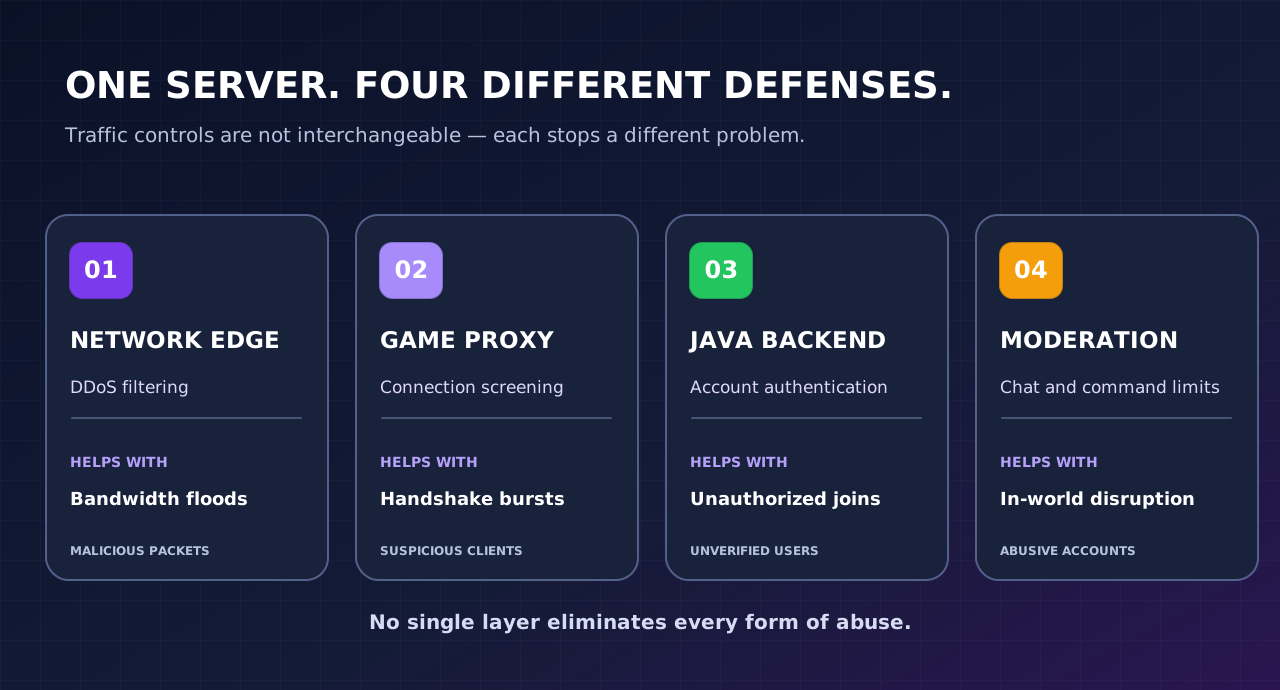
A server-side plugin processes activity that reaches the Minecraft application. It may reject suspicious joins or limit messages, which is useful, but traffic still has to reach the server’s network connection and often the application first. A volumetric flood can cause loss of connectivity before a plugin gets a chance to act. Conversely, a network protection service may block floods while failing to distinguish a genuine new player from an authenticated account spamming chat.
Think in layers: network edge → Minecraft proxy → authenticated server → in-game moderation → recovery. Each layer has a different purpose and a different failure mode.
If players can still join, preserve a baseline before you change settings during an incident. Collect enough information to distinguish a network problem from a Minecraft software problem:
On Volyx, start in Panel → Servers → your Minecraft server → Console and Files. The exact names of configuration files depend on the installed game server. Use Backups if available on your instance before editing files, and keep a separately stored copy of important worlds when permitted. Do not post screenshots containing private startup variables or secrets.
During an active outage: do not keep rebooting every few seconds, randomly block broad IP ranges, or install unverified plugins. Frequent changes erase the signal you need to diagnose the original problem and may lock out legitimate players.
The steps below prioritize changes a server owner can usually make through a control panel without root access. Some protections require a network provider or host administrator. If your account does not expose firewall or proxy controls, do not assume you can configure them through a plugin.
For a standalone Minecraft Java server, open server.properties through Files and verify the server uses Mojang/Microsoft account authentication. An example baseline is:
# Standalone Java server — example values, not a universal template
online-mode=true
white-list=true
enforce-whitelist=true
enable-rcon=false
enable-query=false
online-mode=true helps validate player identities. The allowlist is a strong fit for a private SMP with a known set of members. Turning off RCON and Query when unused reduces unnecessary exposed services. Do not paste this block over an existing file: retain your actual port, world, gameplay, and host-controlled values, and verify the settings supported by your installed version. Some Paper versions have additional options. Paper’s server.properties reference documents these controls.
Critical proxy exception: A backend server behind Velocity typically runs with online-mode=false because the proxy authenticates players. This is safe only when the backend cannot be reached directly, player forwarding is correctly configured, and the proxy’s authentication settings are sound. Do not independently disable authentication on a public standalone server to “fix” failed logins. See Paper’s forwarding guide.
For a private friends-only server, an allowlist is often more effective against random bot joins than complex heuristics. In a Minecraft console, commands generally omit the leading slash; in-game commands use /:
whitelist on
whitelist add ExamplePlayer
whitelist list
Replace ExamplePlayer with a real invited username. Test with one invited account and one account not on the list. If your server software differs or your permissions are limited, use the compatible built-in command or the host’s documented workflow. An allowlist is not network-layer DDoS mitigation: an attacker can still send packets to the public address even if no account can enter the world.
For public communities, an allowlist would exclude prospective players. Prefer verified onboarding, bot-detection policies with appeals, moderation, and appropriately configured edge protection rather than blocking every new account.
Review the versions of Minecraft, Paper or Purpur, Velocity (if used), authentication-related plugins, and the Java runtime supported by your selected server image. Record the previous versions, back up the world, and update in a maintenance window. Security or protocol changes can require matching proxy and backend updates; changes to a plugin may introduce a new incompatibility.
Download plugins only from trusted maintainers. Inspect version support, release history, permissions, configuration defaults, and whether the plugin is designed for the server or for the proxy. More anti-bot plugins do not automatically mean more protection; conflicting filters can produce false positives, reconnect loops, and costly login processing.
Larger networks often use Velocity as the public entry point and run one or more Paper backend servers behind it. This design offers central routing and player forwarding, but it creates an important security boundary: players must not be able to bypass the proxy and connect directly to the backend.
Paper recommends combining host/network firewall restrictions with Velocity modern forwarding for supported Minecraft versions. The forwarding secret must be kept private and shared only between authorized components. Forwarding secrets alone do not replace a firewall. On a shared host, network isolation may need to be enforced by the provider—not by a customer-editable firewall. See Paper’s backend security guide.
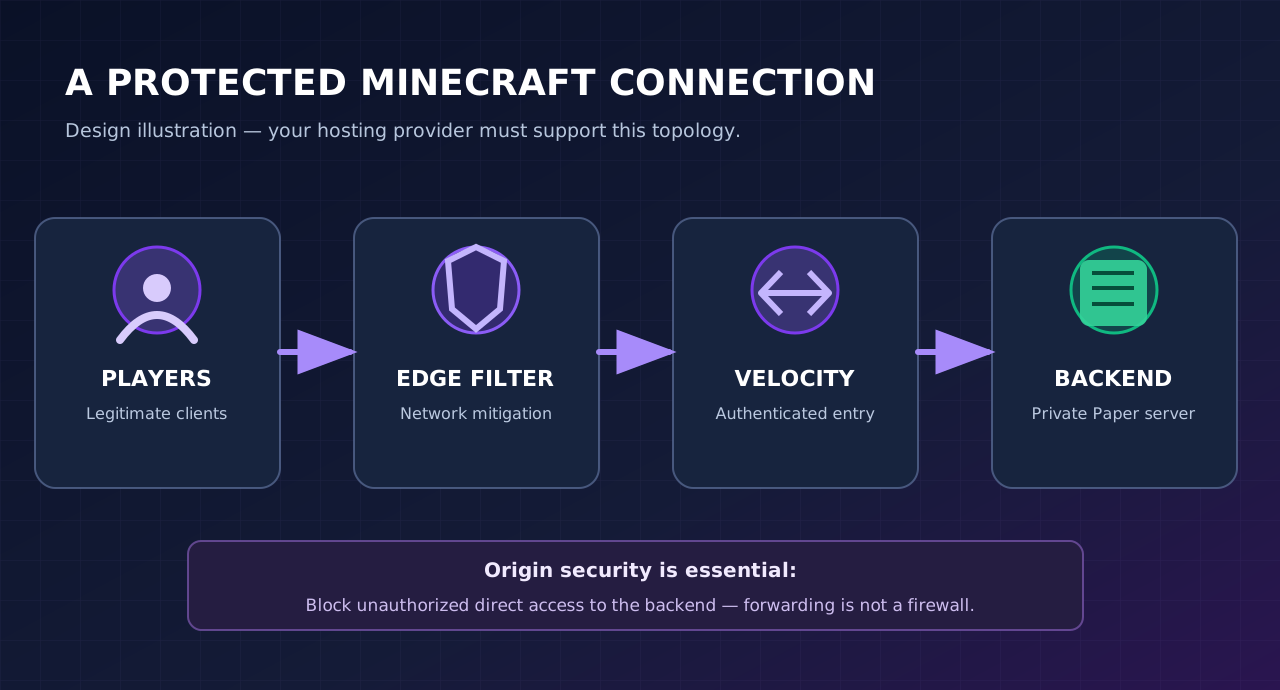
Important: Do not change server-ip, bind ports to 127.0.0.1, or add firewall rules on a shared Volyx allocation without confirming your topology and permissions. A change that is appropriate on an owned single-purpose VPS can make a shared game-server allocation inaccessible. Ask support how backend-to-proxy traffic is isolated if you use several instances.
A Minecraft server usually communicates over a game protocol, not ordinary website HTTP. Standard Cloudflare website proxying and WAF rules therefore do not automatically protect a Minecraft Java server’s TCP connection. Cloudflare’s Spectrum is a distinct layer-4 service designed for TCP/UDP applications; its availability and pricing differ from the free website plan, so verify eligibility before recommending it as a free solution.
TCPShield describes a Minecraft-focused proxy with network-layer and Minecraft-protocol checks, including a free tier subject to its current conditions. Verify port support, Java versus Bedrock coverage, hostname setup, forwarding/plugin requirements, and whether your hosting provider can restrict traffic to approved proxy origins. A proxy only shields an origin reliably when attackers cannot continue reaching the backend directly. See TCPShield documentation and Cloudflare Spectrum DDoS documentation.
If you host on Volyx, confirm with Volyx support whether your specific game server may be placed behind an external TCP proxy before changing DNS. Some shared hosting environments already use their own network filtering or disallow certain network arrangements. We are not claiming TCPShield, Spectrum or any third-party product is pre-integrated with Volyx.
A custom domain may make your server easier for real players to remember, but it does not, by itself, hide the origin IP. An A record typically points to an address; an SRV record helps clients locate a service port. If that public address remains accessible directly, changing only the displayed hostname does not solve origin exposure.
For a supported protective proxy deployment, use the hostname and DNS record type required by the proxy provider, check propagation, confirm login behavior, and test that the origin rejects unauthorized direct connections. Do not attempt origin restrictions if you lack administrative permission. Ask the network operator to apply the necessary allow rules.
In-game filters should be tuned for your players, not copied blindly from a random plugin tutorial. A network that launches public events may legitimately see dozens of people connect within seconds. A small private world may see only five users a week. These require different thresholds.
Consider the following controls where supported: account verification, per-account join cooldowns, repeated-failure detection, short temporary restrictions rather than permanent bans, human review of false positives, and a documented appeal route. For chat spam, use message/command cooldowns and moderator tooling instead of aggressive network IP blocks; legitimate players can share an ISP or network address.
Paper’s server.properties includes a rate-limit property, but its semantics and default are version-specific. A low arbitrary value may disconnect normal clients, and a packet threshold is not an upstream bandwidth shield. Test any change with several real player clients before calling it an improvement.
Protect your Volyx account and any Discord account used to authenticate with a strong unique password and any available multifactor authentication. Give server collaborators the minimum role they need; a moderator who only needs console visibility should not automatically have credentials for backups, database passwords, file deletion, and startup secrets.
Create a recovery checklist: where world backups are stored, who can restore them, a known-good server.properties copy, plugin versions, and how to contact hosting support. Verify one backup can actually be restored to a separate test environment where possible. A backup is not a DDoS shield, but it is essential if an incident involves griefing, configuration damage, or a compromised account.
You do not need to perform a flood to test a safe setup. Invite a few trusted players, restart during a planned maintenance window, observe console errors, check that allowed accounts connect, confirm unapproved accounts are refused, and verify DNS and proxy routes are correct. For a public network, simulate ordinary sign-in peaks with coordinated volunteers rather than attack-generation tools.
Keep a rollback note for each change. If normal player sessions start failing after installing an anti-bot plugin, revert that one change instead of simultaneously changing the proxy, Java runtime, DNS, and five configuration keys.
The important comparison is the protection’s job, not a made-up guarantee that one provider will block every attack. The table summarizes the capabilities described in official project documentation; your result depends on architecture, supported plan, and correct deployment.
| Approach | Network flood defense | Minecraft bot-join controls | Main limitation | Good fit |
|---|---|---|---|---|
| Volyx panel settings and account controls | Not independently verified for your instance | Some application/config controls, depending on installed software | Host-level mitigation is separate from game settings | Basic hardening and operations |
| Paper allowlist + authenticated standalone server | No upstream flood absorption | Restricts who can enter | Does not hide the origin or stop packets | Private SMPs |
| Anti-bot / moderation plugin | Not for saturating network links | Often useful for joins/chat; varies by plugin | Can introduce false positives and overhead | Public servers with measured abuse |
| Velocity + secured backend | Some protocol/proxy controls; not a bandwidth shield by itself | Centralized routing and forwarding | Exposed backends can bypass the proxy | Multi-server Java networks |
| TCPShield | Provider advertises edge DDoS mitigation | Provider advertises Minecraft-aware filtering | Eligibility, compatibility and origin isolation must be checked | Supported public Java deployments |
| Cloudflare Spectrum | Layer-4 TCP/UDP DDoS mitigation | Not a substitute for in-game moderation | Product/plan eligibility and cost | Eligible services needing network edge protection |
| Ordinary Cloudflare website proxy / WAF | Protects suitable web traffic | Does not proxy native Minecraft game TCP by default | Website WAF rules are not Minecraft protocol filtering | Website, panel or HTTP API, not the Java game port |
These are functional categories, not measured head-to-head attack tests. No provider ranking, uptime percentage, RAM allocation, or attack capacity for Volyx is asserted here.
For a Java server owner evaluating a Minecraft-specific service, TCPShield may be a practical candidate because its documentation focuses on Minecraft proxying and filtering. Spectrum is a broader layer-4 offering with different plan constraints. Neither can be recommended blindly without verifying your provider’s allowed networking configuration, origin isolation, expected latency, and costs. TCPShield FAQ and Spectrum overview.
No. A well-configured plugin can lower application-level abuse, and that may be enough if your actual problem is chat spam rather than a network flood. But it cannot make an overwhelmed connection receive packets reliably. Conversely, paying for a network mitigation service does not remove the need for authentication, moderation, backups, and safe account practices.
Prepare a response plan before a problem happens. Make it short enough to follow while players are reporting connection failures.
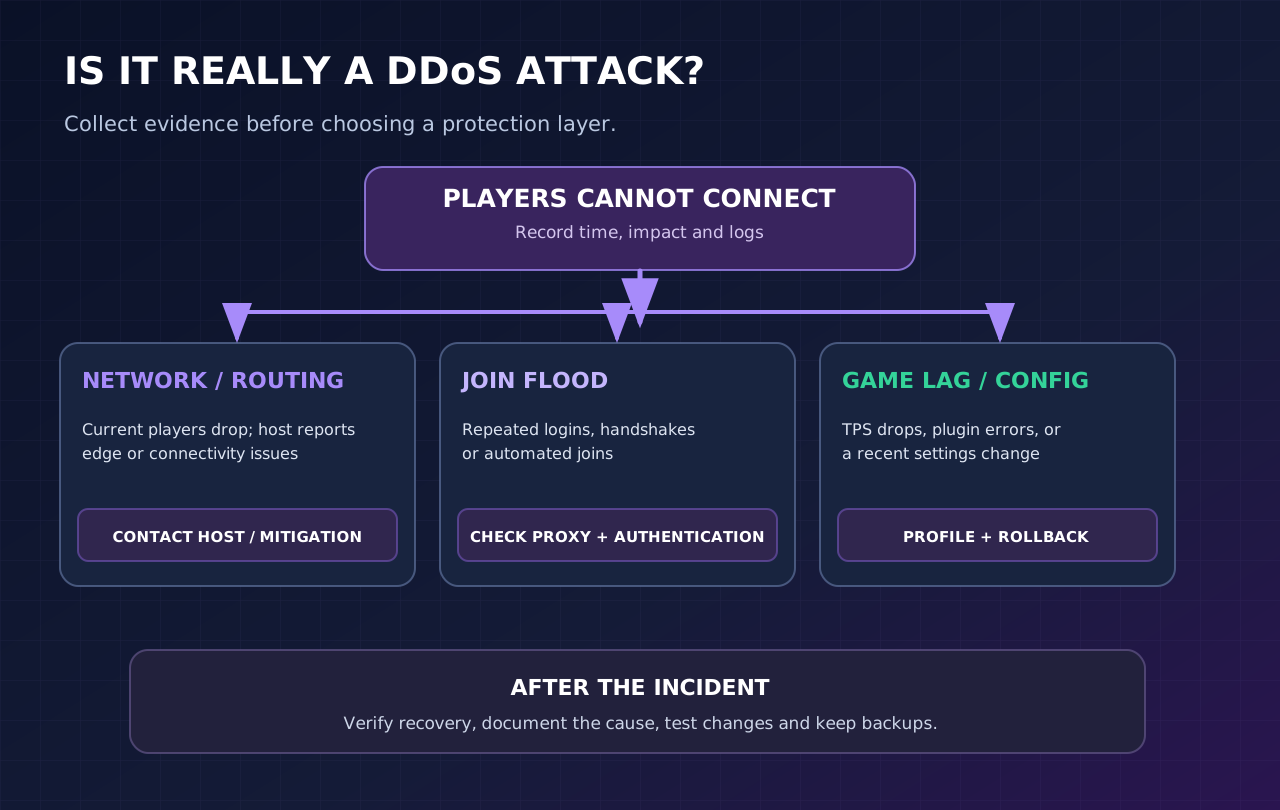
If the host confirms a network-layer event, work with them on the supported mitigation path. If the network is healthy but login attempts surge, verify account authentication, allowlisting/verification and proxy filtering. If the server remains connected but gameplay is frozen, inspect the JVM, TPS/MSPT and plugin load; use the Volyx guides index to find a dedicated TPS/MSPT diagnostic guide before treating a performance problem as DDoS.
If you are an operator on a managed platform, you may not have access to packet captures or raw firewall logs. That is normal. Supply timestamps, affected domain and allocation, and sanitized console excerpts to the provider rather than trying to obtain privileged access.
Write down what happened, the confirmed cause versus possibilities, the action that helped, and whether it inconvenienced real players. Review configurations with a controlled test after traffic returns to normal. Rotate a credential only if it is potentially exposed or compromised; a generic network flood is not evidence of a stolen token.
The following is a planning example for a small public Java server—not a measured benchmark or a guarantee about Volyx capabilities.
| Area | Example state to verify | Owner’s next action |
|---|---|---|
| Account | Only trusted collaborators have server management access | Review panel users and roles |
| Authentication | Standalone Java server has online-mode=true | Confirm in settings and test an authenticated user |
| Join access | Private server uses an allowlist; public server uses supported onboarding | Test a legitimate new player |
| Backups | Latest backup is available and restore steps are documented | Verify backup completeness |
| Updates | Server, proxy and plugins match supported versions | Plan updates with rollback |
| Edge routing | Network mitigation compatibility confirmed by host | Document current public entry point |
| Origin | Backend is not directly reachable if behind a proxy | Have authorized network owner verify restrictions |
| Logs | Repeated attempts can be recognized without collecting unnecessary personal data | Keep minimal incident notes |
| Recovery | There is a route to hosting support | Save support link and incident template |
For a Volyx user, the controls you can commonly inspect are Console, Files, Users, Backups, and Network, depending on server type and account permissions. Controls like upstream DDoS filtering and physical host firewalls are not necessarily adjustable in your game server panel. This distinction matters more than the name on the hosting dashboard.
Mistake 1: Using Cloudflare’s orange-cloud DNS as a Minecraft TCP shield. Ordinary website proxying is not a substitute for Spectrum or a Minecraft-aware game proxy. Match the service to the protocol, and check the documented product limits.
Mistake 2: Disabling online-mode just to stop login errors. This can open impersonation risks for a standalone server. Proxy-backed networks require a deliberately secured authentication boundary; follow Velocity’s official guide rather than copying a single setting.
Mistake 3: Leaving a protected proxy’s backend directly exposed. Players (and attackers) may bypass the intended entry point. Use network restrictions implemented by the authorized host administrator.
Mistake 4: Installing many anti-bot plugins at once. You lose the ability to tell which change helped or broke a legitimate login. Test one control at a time with version-compatible builds.
Mistake 5: Banning an entire IP range after a burst. Schools, mobile networks and shared addresses can contain many genuine players; coarse blocks may punish the wrong people.
Mistake 6: Confusing TPS lag with DDoS. High MSPT, world generation and plugins can cause severe gameplay delays even when networking is normal. Measure before escalating a DDoS ticket.
Mistake 7: Treating a paid service as invulnerability. Every defense has rules, capacity assumptions and operational requirements. Keep incidents, backups, access controls and recovery planning in scope.
Mistake 8: Assuming Java and Bedrock traffic work identically. Minecraft Bedrock commonly uses UDP and requires product-specific compatibility. Verify your edition, proxy support and port requirements before selecting a service.
You can take free defensive steps, including account authentication, allowlisting, careful plugin selection, updates, backups and access restrictions. Some specialized providers advertise free tiers, but their limits and supported editions can change. Free application settings alone do not guarantee protection from large network floods; verify the upstream protection available on your actual hosting plan.
We have not independently verified an identical protection level for every Volyx node, allocation or plan. Volyx provides server management tools, but network mitigation details should be confirmed with current Volyx support or service documentation. Do not infer a capacity figure from a control panel screenshot.
Not by itself. DNS directs clients to an endpoint, while ordinary Cloudflare web proxying and HTTP WAF rules are not a native Minecraft Java TCP proxy. Cloudflare Spectrum is a separate product for TCP/UDP traffic with its own eligibility and pricing.
DDoS refers to resource-exhausting traffic, often from many devices; an application bot raid uses automated Minecraft-like actions such as reconnecting or spamming chat. They can overlap, but a chat filter cannot substitute for upstream network mitigation, and an edge shield cannot replace moderation.
online-mode be true or false?For a regular standalone Minecraft Java server, keep online-mode=true to authenticate players. A Velocity backend is different: it can run with authentication handled by the proxy only after forwarding and backend isolation are configured correctly. Never make a public backend reachable in unauthenticated mode.
No. It helps control who can join your world, which is valuable for a private SMP, but it does not prevent hostile packets from reaching a public network address. Combine it with the relevant upstream protections as needed.
They address related but not identical deployment scenarios. TCPShield focuses on Minecraft traffic and advertises a free tier with conditions. Spectrum provides broader TCP/UDP proxying but has different commercial constraints. Compatibility, provider permission, origin isolation and real operational needs determine the right choice.
You can substantially reduce exposure using supported built-in settings: authentication, allowlisting for private servers, disabled unused services, version updates and cautious permissions. However, no settings-only recipe guarantees protection against upstream bandwidth saturation.
A rule may be too aggressive, a proxy handshake or forwarding secret may be wrong, or an upstream problem may remain. Review logs from both the public entry point and backend, test a legitimate player, and revert only the last controlled change before adding anything else.
No. Velocity provides routing and player-forwarding features; backend access restrictions must still be enforced. Paper explicitly recommends a firewall and treats modern forwarding as an additional layer rather than a replacement.
Possibly, but you must verify whether the host allows external TCP proxying, how backend access is restricted, which addresses and ports are assigned, and which protocols are supported. On shared hosting, firewall changes often require support rather than root shell access.
Include the affected service and port, start and end times, whether established sessions failed, the symptoms, and redacted excerpts of relevant logs. Avoid posting private credentials, complete user IP histories or speculation about who caused the event. Ask specifically whether upstream mitigation or routing anomalies were observed.
A safer Minecraft server begins with the right question: Is the failure in the network, in the login path, or inside the game? Secure standalone authentication, use allowlisting for private worlds, keep your software current, and protect proxy backends from direct access. For confirmed network flooding, involve the host or a supported mitigation provider; for bot joins and chat abuse, focus on identity, rate policies and moderation.
If you host with Volyx, review your server’s Console, Files, Users, Backups, and Network sections first. Confirm current resource and renewal requirements before promising an always-on service. Use Volyx to access your server dashboard and consult Volyx documentation for platform-specific details.
Further reading: Browse Volyx guides for related server performance, troubleshooting and hosting tutorials. Performance guides are not substitutes for network protection.
server.properties reference: authentication, allowlisting, RCON, Query and rate controls.Editorial note (October 2026): Product documentation and pricing can change. This is an original explanatory tutorial; it does not reproduce providers’ published marketing copy, imply an independent attack test, or guarantee that any one configuration prevents every outage.
Explore more in-depth articles with code, visuals, and practical walkthroughs.
Browse all articles ↗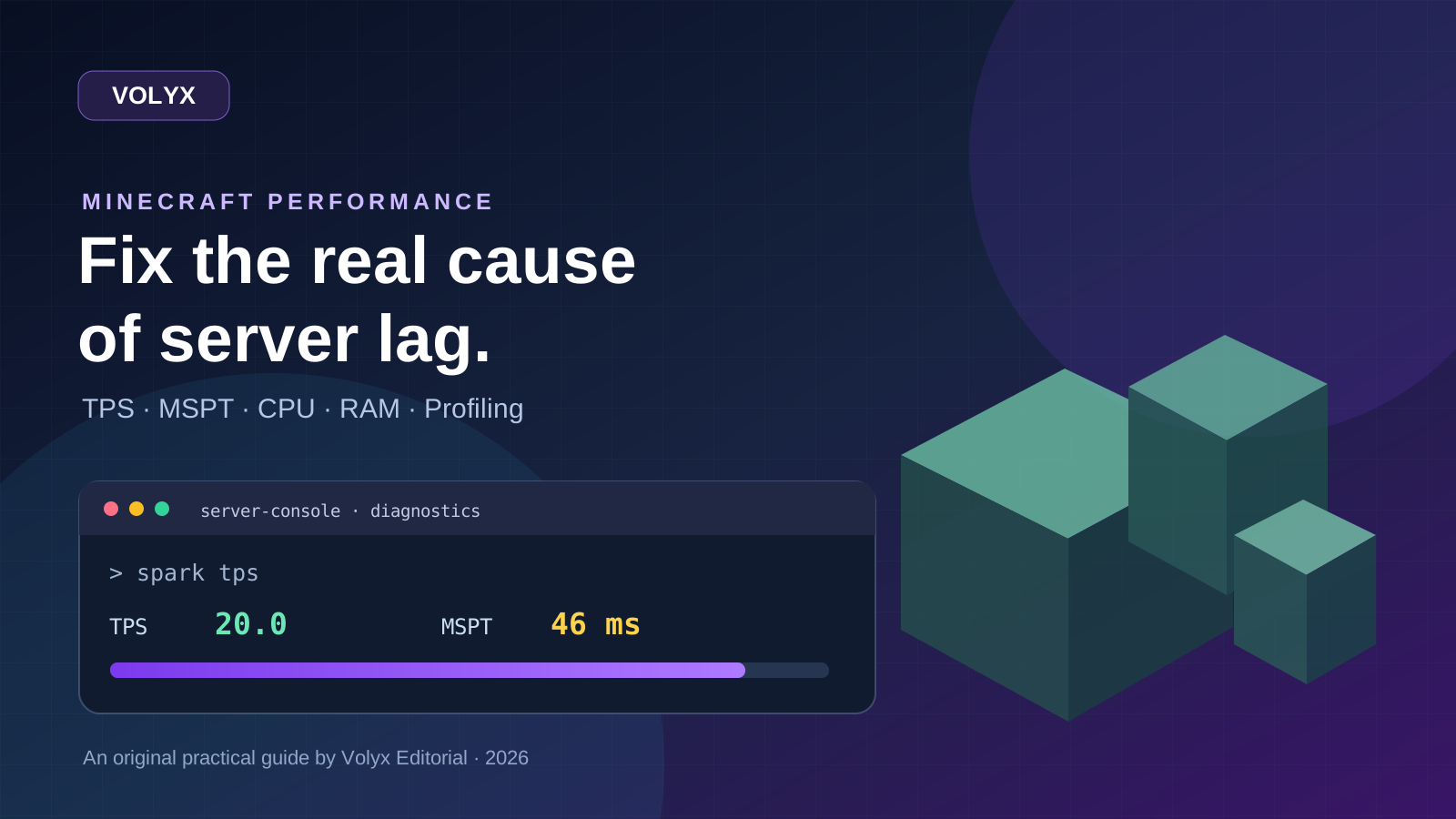
A practical, evidence-first guide to fixing Minecraft Java server lag: read TPS and MSPT, profile with spark, tune chunks, and diagnose CPU, memory and plugins.
Read article ↗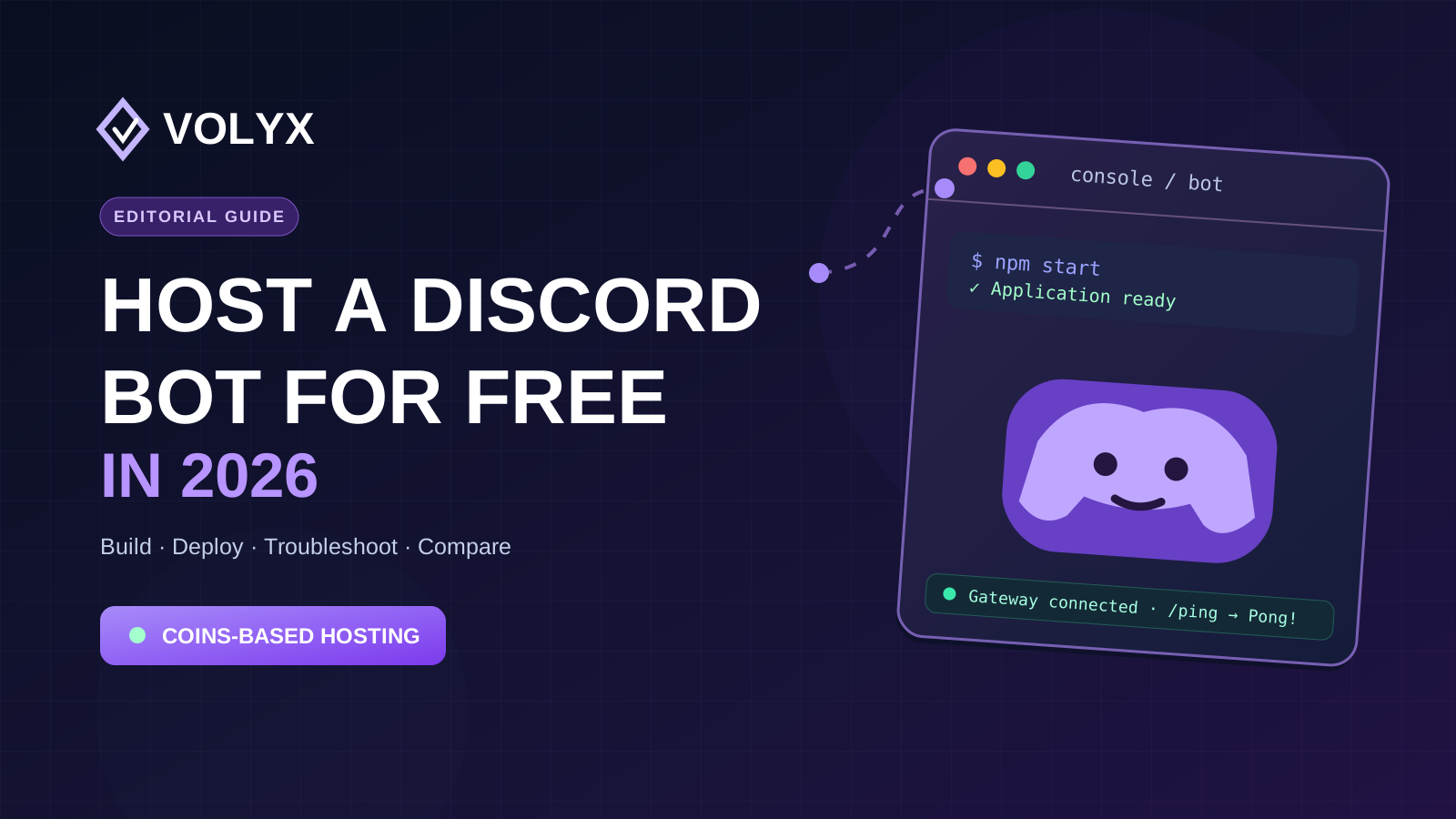
Build a working Discord slash-command bot, deploy it on Volyx with Coins-based hosting, secure its token, troubleshoot crashes, and compare free hosting alternatives.
Read article ↗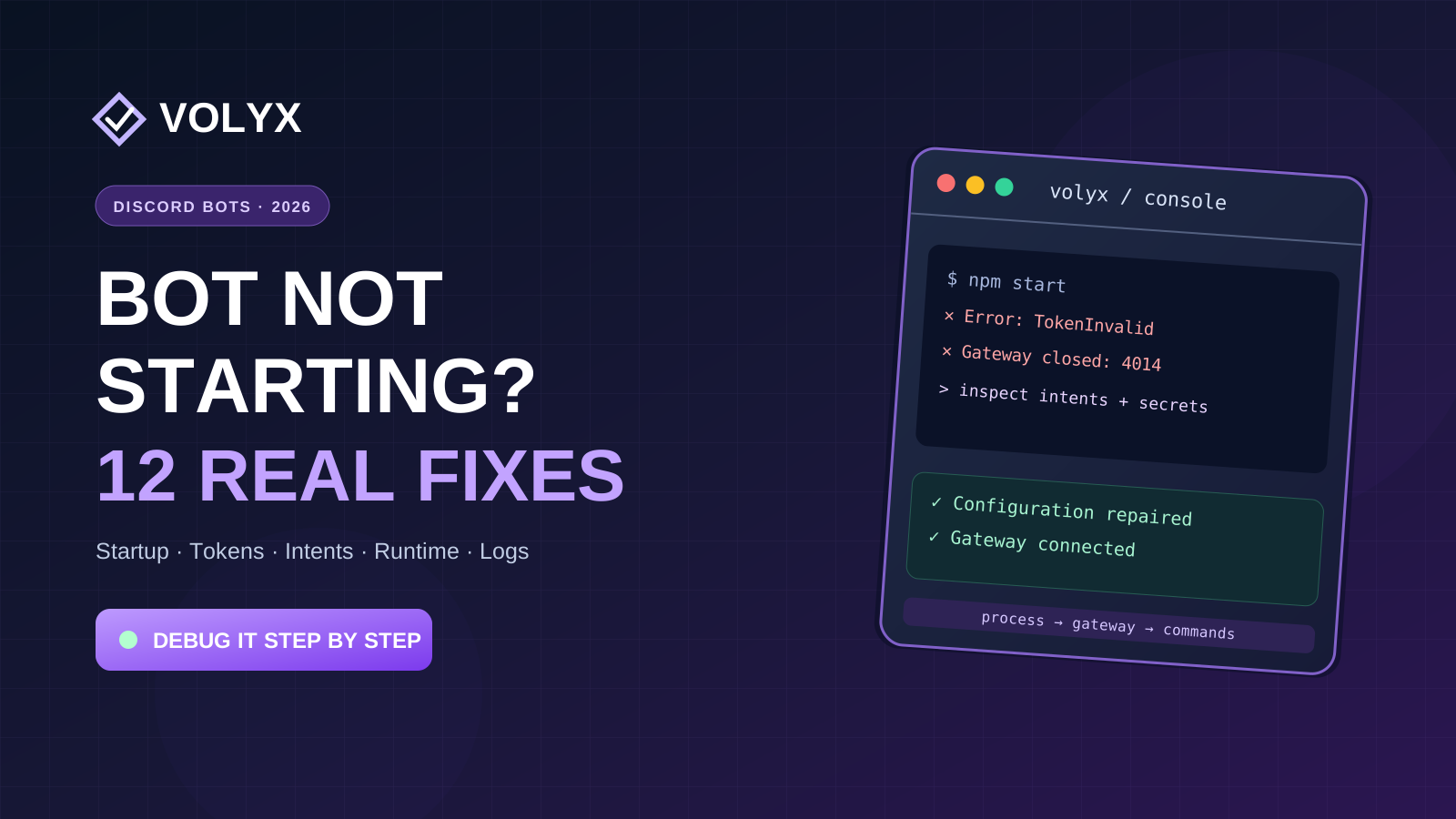
Diagnose 12 real Discord bot startup and command failures, read Node.js and Python logs, fix intents and tokens, and recover your bot on Volyx.
Read article ↗