
Minecraft Server Lag in 2026: Diagnose TPS, MSPT, CPU and RAM
A practical, evidence-first guide to fixing Minecraft Java server lag: read TPS and MSPT, profile with spark, tune chunks, and diagnose CPU, memory and plugins.
Read article ↗Choose the right Minecraft Java server software in 2026. Compare Paper, Purpur, Fabric, Forge and NeoForge by plugins, mods, Java versions, resource behavior, migration risk and Volyx setup.

The most expensive Minecraft hosting mistake is often made before anyone joins the server: choosing a server type because somebody claimed it was “fastest,” then discovering that the plugins, mods, or gameplay changes you planned cannot run on it. A powerful machine cannot fix a loader mismatch. Nor will doubling RAM make a broken modpack compatible with Paper.
This guide compares Paper, Purpur, Fabric, and Forge in 2026 using the questions that actually matter: What extensions do you want? Which Minecraft version are they built for? Must players install anything? Which Java runtime is available? What happens to your world if you switch? We’ll also explain where NeoForge belongs in the decision, and how to approach the choice using the Files, Console and Startup controls in Volyx or another Pterodactyl-based host.
Quick answer: Choose Paper for a conventional Java multiplayer server built around plugins; Purpur if you want Paper compatibility with more optional configuration; Fabric if you need Fabric mods; and Forge if your required modpack is explicitly built for Forge. For a NeoForge modpack, use NeoForge, not Forge by assumption. Validate the exact Minecraft, Java and loader versions before uploading a world.
Important for Volyx users: This is a software decision, not a promise that every Volyx plan currently exposes every server image or Java version. Check the software choices available in your specific server configuration and ask support before changing an unsupported egg or runtime. Volyx uses a free-hosting/Coins model; quotas, uptime and installed environments can differ by account.
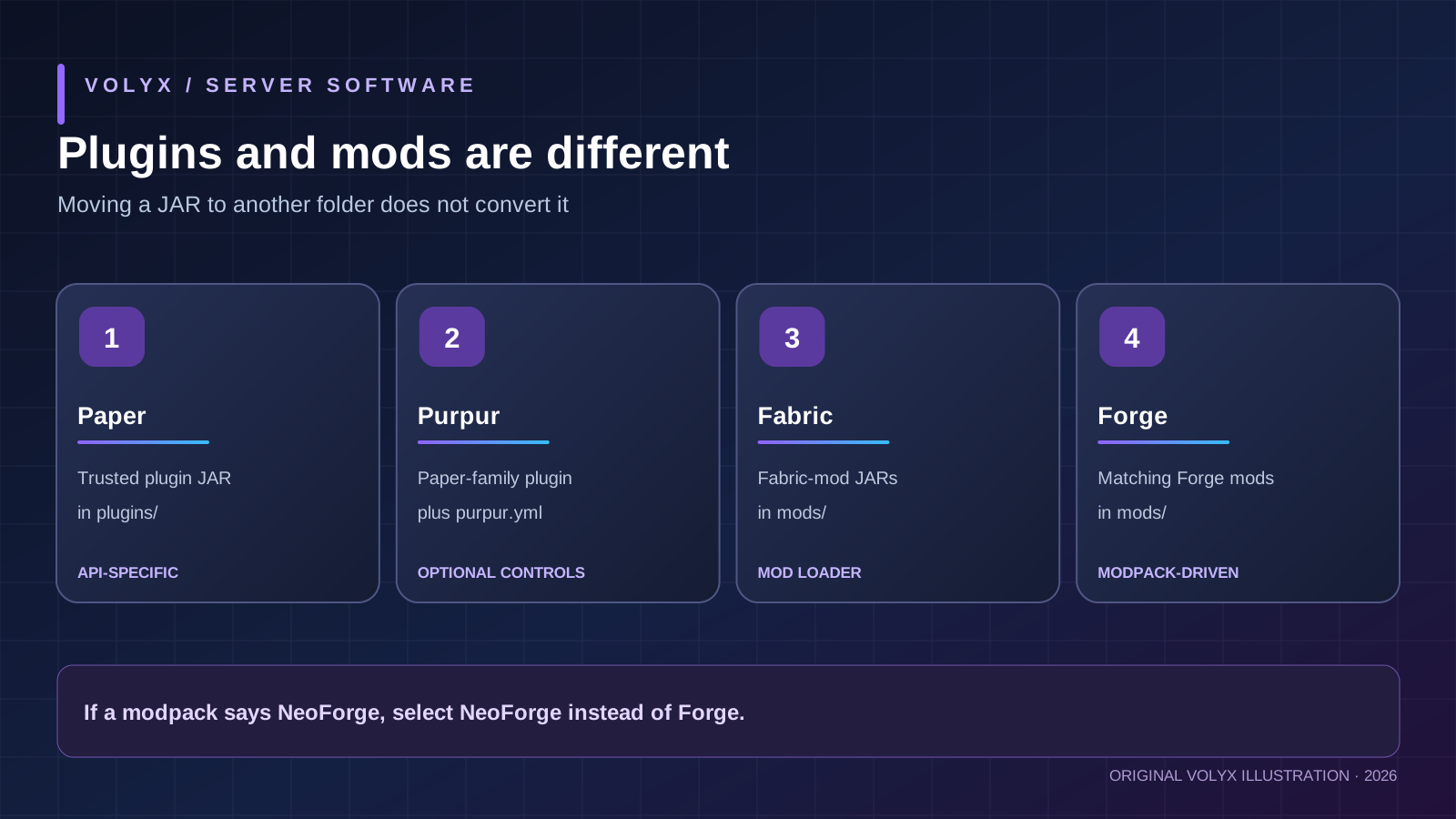
There are two broad approaches to extending Minecraft: server plugins, which usually run only on the server, and mods, which can change game code, blocks, items, entities and client behavior. Some mods are server-side only; others require matching client installations. A plugin built for the Bukkit/Paper ecosystem is not the same artifact as a mod made for Fabric or Forge.
| Software | Main purpose | Typical extension folder | Do most players need a custom client? | Better starting point for |
|---|---|---|---|---|
| Paper | Performance-oriented Java server with plugin APIs | plugins/ | Usually no, for ordinary server-side plugins | Survival, minigames, permissions, economy and anti-grief |
| Purpur | Paper-family server with extra optional gameplay/configuration controls | plugins/ | Usually no, for ordinary server-side plugins | Customized SMP and servers wanting more built-in tuning |
| Fabric | Lightweight modular loader for Fabric mods | mods/ | Depends on whether selected mods also affect the client | Specific Fabric modpacks and server-side Fabric tools |
| Forge | Mod loader for Forge-targeted projects | mods/ | Often yes for content-changing packs | Forge-specific gameplay and established Forge modpacks |
| NeoForge | Separate modern mod-loader ecosystem | mods/ | Often yes for content-changing packs | Packs whose manifests explicitly say NeoForge |
This is a compatibility and workflow comparison, not a controlled speed benchmark. The “lightweight” label does not mean a particular Fabric modpack consumes less RAM than a lean Paper server. The workload, extensions, player behavior and game version decide that.
The Paper plugin installation guide describes plugins/ and its normal workflow. Fabric’s mod documentation specifically warns that mods must match both the game version and the Fabric loader. Purpur’s own FAQ explains that its additional features are opt-in via configuration and that it inherits upstream Paper functionality.
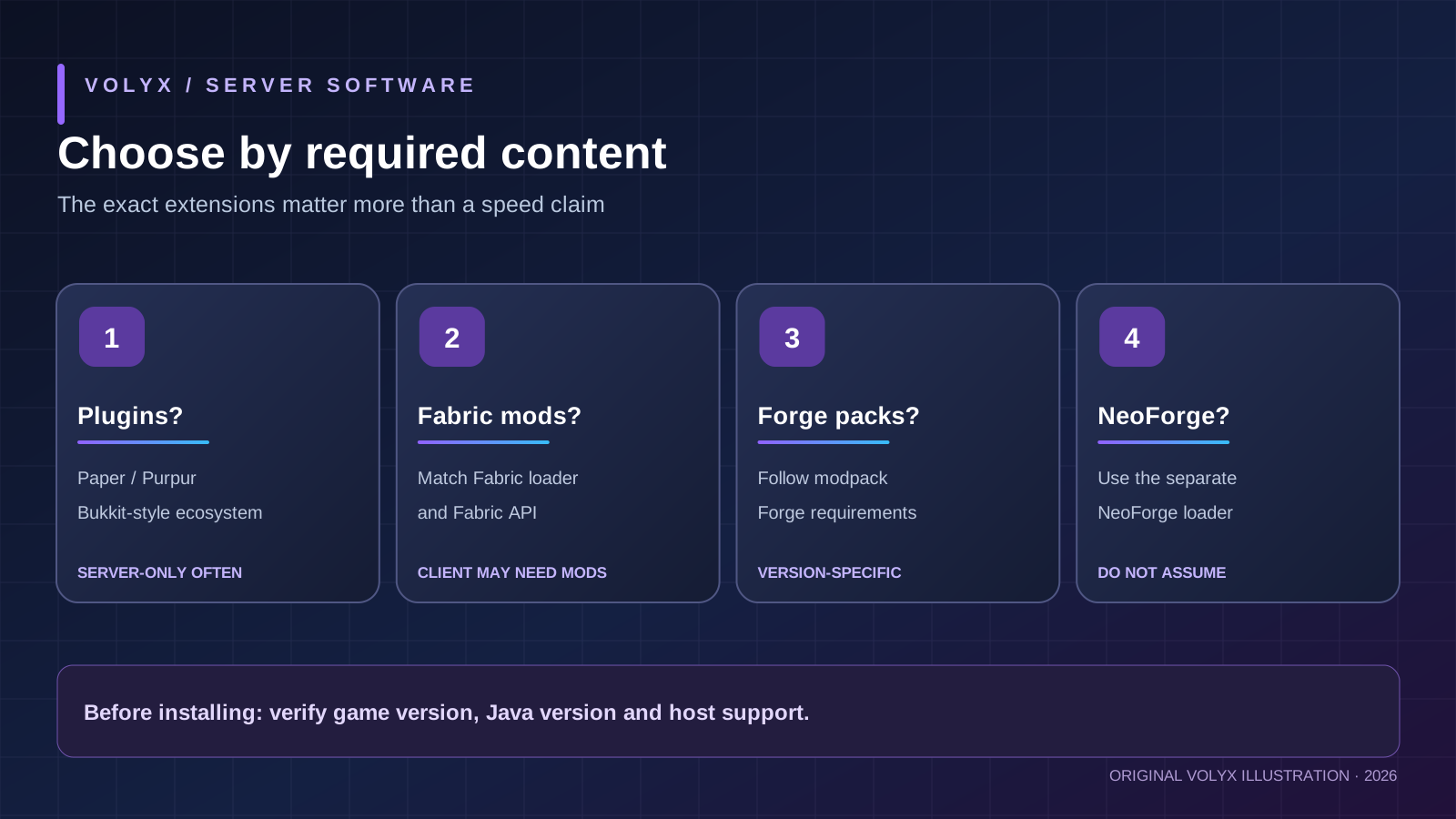
Start with the features you cannot give up, not with a list of software names. Imagine three server owners:
A community SMP owner wants land claims, a permissions system, chat moderation, a shop and an economy. Players should join with an ordinary compatible Minecraft Java client. Paper is a sensible starting point because many of these needs have established plugin solutions. Purpur is an alternative when additional configurable behavior is useful.
A small friends-only group wants a Fabric-based furniture mod, a minimap ecosystem and a server-side performance mod. Paper is not a substitute for those Fabric mods. Fabric is the correct loader, provided the pack’s server files and matching client requirements are respected.
A large fantasy modpack group wants a very specific progression pack available for Forge or NeoForge. Pick the exact loader and build stated in the pack’s manifest. “All mod loaders support mods” is false as an installation rule. A similarly named .jar file does not make it cross-loader compatible.
If you still cannot decide, use this order: required modpack or plugin → exact Minecraft version → loader/API → Java requirement → host support → test server → migrate production world. This order prevents more downtime than choosing by marketing claims about “boosted FPS.”
Do not choose software by player count alone. Twenty players rapidly exploring new terrain may create more CPU and storage pressure than many idle players. Mods and plugins can drastically change the cost of every simulation tick.
Paper is a Minecraft: Java Edition server platform focused on performance improvements and plugin development. Many administrators choose it for survival worlds, community servers, minigame hubs and servers needing permissions or economy plugins. Its documentation includes server startup, plugin installation, configuration and world migration guidance.
Paper’s practical advantage is not a guarantee of a particular TPS number. It is the combination of an established plugin ecosystem, modern configuration options and tooling for debugging. You can install a trusted compatible .jar into plugins/, restart the server and check logs. With an ordinary server-side plugin, players typically do not need to install a custom loader.
However, Paper is not a Fabric or Forge mod loader. A server built around custom Forge blocks and entities cannot be “converted to Paper” by copying its mod files into plugins/. Paper’s migration documentation explicitly cautions that Paper cannot load content from Forge/Fabric mods and that world data may be affected.
Choose Paper when: you need plugins and normal multiplayer behavior, want a manageable upgrade path, and have tested the plugins against your exact Minecraft release. Reconsider when: your required content is a modpack or you depend on mechanics altered by a server fork; test farms and redstone behavior after any change.
# Example for a standalone Paper Java server.
# Replace the JAR name, memory values and runtime to match YOUR installation.
java -Xms1G -Xmx3G -jar paper.jar --nogui
The 3G in this command is an illustration, not a Volyx allocation or universal recommendation. On Pterodactyl, you may be expected to configure a startup variable or choose a server egg rather than paste a full shell command. Never set an -Xmx value above the memory your hosting plan actually allows; leave room for the JVM and other overhead.
The Java version is especially important in 2026. Paper’s current getting-started documentation lists Java 21 for Minecraft 1.20 through 1.21.11 and Java 25 for Paper 26.1+. This can change as releases advance, so check the requirements for the exact Paper build you select rather than assuming that “latest Minecraft” runs on an older egg.
Purpur builds on the Paper family and exposes additional gameplay and configuration options through files such as purpur.yml. Its distinguishing strength is not that every server becomes faster merely by switching JARs. It is that operators can opt into behaviors and tweaks without needing a separate plugin for every small change.
Purpur’s official FAQ explains that the features it adds are largely disabled by default to preserve familiar Paper-like behavior; administrators enable them when needed. That means selecting Purpur is a configuration choice, not permission to blindly copy a random “ultimate Purpur tuning” file from a video.
Its upstream relationship means ordinary Paper/Bukkit/Spigot plugins frequently work. Compatibility is not absolute: plugins can depend on undocumented internals or make assumptions about specific implementations. Always check the plugin author’s support policy and test upgrades, especially after a significant Minecraft or Purpur release.
Choose Purpur when: you want a plugin-based server but also need specific extra configurable mechanics. Choose Paper instead when: its default behavior already meets your needs and you prefer fewer moving parts. Neither choice makes a client-side Forge or Fabric mod appear server-side.
purpur.yml and related settings.This matters for servers with custom farms, villager mechanics and mob behavior. A highly customized server may have more gameplay differences to communicate to players, regardless of whether its TPS looks healthy.
Fabric is designed around a modular modding ecosystem. It appeals to administrators who need Fabric-specific server mods or entire Fabric modpacks. Some Fabric mods are server-only; others add content or rendering features that belong on clients. The mod metadata and installation guide—not a generic “best Fabric mods” list—determine where each file should go.
A Fabric installation normally has a Fabric loader plus matching game version, appropriate launch JAR or command, and a mods/ folder. Some mods depend on Fabric API, which is a dependency distributed separately. Installing Fabric API alone does not magically make a Forge mod work.
If a server-side-only Fabric mod improves a particular workload, that can be useful. But changing to Fabric does not automatically “optimize Minecraft”: a heavy world-generation pack, many simulated entities or incompatible mods can still overload CPU or memory. Measure actual server tick time rather than relying on software labels.
Choose Fabric when: your must-have features are available as supported Fabric mods and you can manage exact loader/mod versions. Avoid it when: your main requirement is simply to run Bukkit-style permissions or economy plugins without an officially supported Fabric alternative.
| Check | What must match | Why it matters |
|---|---|---|
| Minecraft | Game version required by the mod | Registry and API changes may break older mods |
| Fabric loader / Fabric API | Compatible loader and dependencies | A missing library can stop startup |
| Installation side | Server-only, client-only or both | A client-only mod can crash a dedicated server |
Before uploading a pack, look for official server files supplied by its maintainer. Avoid downloading a client modpack and assuming that every included JAR belongs on the dedicated server. If an installer or startup script is required, confirm your Volyx egg supports it rather than running installers in a restricted console.
Forge is a widely used modding platform with a long history of major content mods and modpacks. If the experience you want is distributed for Forge, the exact compatible Forge build is a stronger reason to choose Forge than any generic claim about performance.
Forge servers are often more demanding than a small vanilla/plugin server when the chosen pack contains large numbers of content mods. That is about the workload of those mods; it is not a universal proof that the Forge loader has worse baseline performance. Mod count, world generation, recipes, machines, mob AI, loaded chunks and player activity all matter.
The installation workflow can differ from a single server.jar launch. Some Forge versions generate a run script and configuration files during installation. An egg set up to launch a Paper JAR may not work simply because you renamed a Forge installer. Read the instructions for the exact loader and release; do not overwrite the host’s startup command unless the panel allows and documents it.
Choose Forge when: your selected, actively maintained pack explicitly requires Forge. Do not substitute Forge when: the pack is for NeoForge or Fabric. Check both mods/ and the pack manifest instead of trusting a similar file name.
NeoForge is a separate loader ecosystem and deserves its own mention in a 2026 comparison. Some newer modpacks and mods explicitly target NeoForge. The NeoForge server documentation describes its installation procedure; the exact command and startup files vary by version. A mod labeled “NeoForge” should not be treated as Forge-compatible unless the project maintainer says so.
That is why a headline contrasting four popular choices cannot tell every reader to use one of those four. If the pack you want says NeoForge, use NeoForge and verify that your host offers or permits a compatible environment.
Performance discussions routinely confuse client FPS, server TPS, MSPT, memory use and latency. They are different measurements. A shader-heavy client can have poor FPS while the server runs perfectly, and a server can have good bandwidth while its main tick thread is overloaded.
A conventional Minecraft server aims for 20 ticks per second. At 20 TPS, the nominal processing budget is 50 milliseconds per tick. Sustained MSPT above this budget indicates that the server may struggle to keep up. The relationship is useful for diagnosis, but do not treat a single sampled spike as proof of chronic lag.
For a practical troubleshooting walkthrough, read our Minecraft server lag guide. It explains why measuring with proper tools is more valuable than raising RAM without evidence.
| Observation | Could indicate | A useful next check |
|---|---|---|
| MSPT rises when players explore | Chunk generation or heavy world generation | Compare pregenerated and fresh terrain |
| MSPT rises near farms | Entities, hoppers or plugin/mod logic | Profile the busy chunk or tick workload |
| GC pauses and out-of-memory logs | Heap pressure or unsuitable memory settings | Inspect allocation and Java/runtime versions |
| Healthy TPS but players rubber-band | Network latency, routing, proxies or client issues | Check packet loss and connection path |
| Server crashes on the loading screen | Loader, Java or dependency incompatibility | Read the first meaningful stack trace |
There is no honest “Paper = 100 players, Fabric = 30 players” chart. Player capacity cannot be inferred from loader choice alone. The same world can behave differently with simulation distance, plugins, mods, hardware and online activity. If a comparison article quotes exact percentage speed gains without stating the test world, software build, CPU, JVM, config and methodology, treat the figure as marketing rather than reproducible evidence.
The right RAM allocation is workload-dependent. A minimal Paper SMP and a large Forge modpack cannot be compared with one universal number. Also, setting an excessively high maximum heap can make a container hit its allocation limit even if the Java process itself reports free heap at the moment.
Start by reading your actual plan’s RAM cap and the modpack author’s published requirements, if any. Separate Java heap from memory consumed outside the heap, such as native libraries and operating-system processes. Leave headroom for everything the host counts against the container. Use a conservative baseline, watch startup and peak memory use, and adjust only after observing the workload.
A useful example for a three-gigabyte Java heap, not a guaranteed Volyx entitlement, is -Xmx3G. If your container has only three gigabytes total, assigning all of it to the heap is generally not a safe starting point. The Java version, other JVM flags, available memory and server egg may all alter what is practical.
For readers choosing free hosting, explain the limits honestly: a free/Coins-based allocation may be suitable for testing or modest groups, but very large modpacks may require an allocation and Java runtime not available in a particular account. Check compatibility before transferring your world.
This section describes the decision and file-management workflow. Button labels and available eggs may differ by account; we are not claiming that every installer or Java version is active on every Volyx node.
Write down the game version you need and the extension ecosystem. If you already have a world, note its existing version before changing anything. Upgrading worlds can introduce irreversible world data changes, and downgrading after opening a world in a newer game version can destroy content. Stop and make a complete backup before trying a new build.
Open your Volyx dashboard and review the selected server’s configuration or server-creation choices. Look for the appropriate Minecraft software/egg and supported Java runtime. Do not assume that the latest Paper documentation and an old server egg match: Paper’s official 2026-era version table includes Java 25 for 26.1+ and Java 21 for older 1.20–1.21.11 releases. Different mod loaders may have their own version-specific Java requirements.
If the exact runtime or loader you require is not selectable, ask Volyx support whether it can be provisioned. Do not attempt to bypass panel restrictions or run unreviewed binary installers in a shared environment.
Use a new disposable world or a dedicated test server where available. First boot without plugins or mods. Confirm the game starts, the EULA is handled through the supported setup, and the Console displays a healthy startup rather than a loop of errors.
Only when the plain server starts should you add your intended plugins or modpack. On a Pterodactyl-based panel, the Console shows startup messages, Files holds the extension folders, and Startup exposes whatever startup variables your egg supports. Treat these as diagnostic controls, not as a guarantee that every command is user-configurable.
For Paper/Purpur, download plugins from reputable publishers, check game/API compatibility and place their .jar files in plugins/. For Fabric/Forge/NeoForge, use mods built for that loader and version, typically in mods/. Install dependencies declared by the creator, not a guessed collection of unrelated libraries. Avoid uploading your Discord bot token, unrelated secrets or executable scripts just because a ZIP included them.
Restart using the panel’s normal control and inspect the Console. If the server now fails, compare against the last known-good, clean boot. That isolates the change to a plugin/mod set and prevents hours of guessing.
Paper and Purpur plugin-based servers usually accept a vanilla-compatible Java client of the proper version. Fabric and Forge content modpacks often require players to install a matching client-side loader and mod set; however, server-only Fabric mods do not automatically force clients to install them. Confirm what the modpack maintainer documents.
If a player can see the server but cannot join, first compare Minecraft edition, protocol/game version, exact modpack version, and any proxy configuration. “Connection refused” is not the same problem as “missing registry entry.”
Before inviting the public, measure TPS/MSPT under a representative workload, configure sensible view/simulation distances, check permissions and access controls, and set up a recovery plan. The Volyx guide to Minecraft DDoS and bot-spam protection covers network and in-game protection as separate layers.
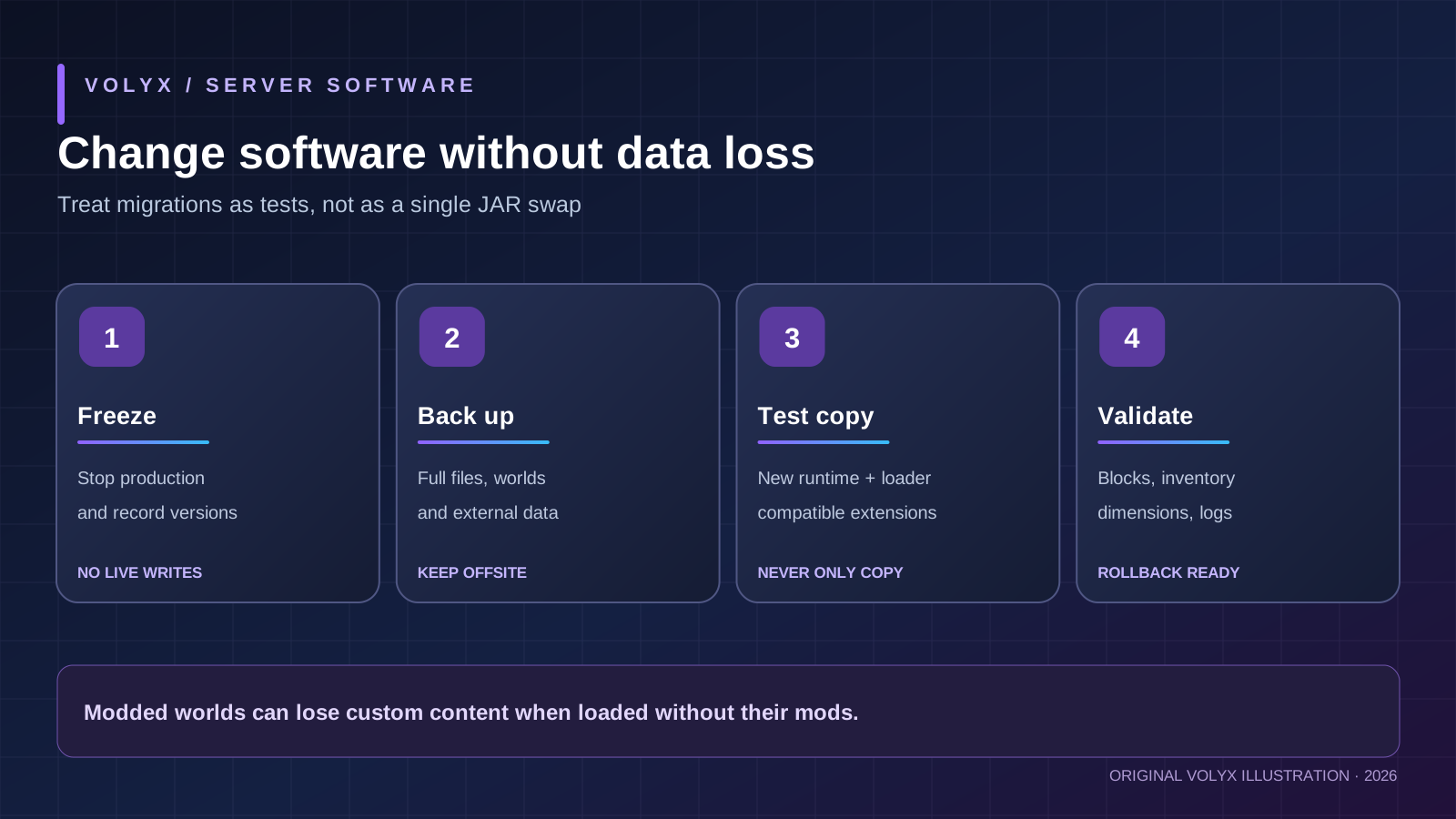
Create an off-server backup before every loader change or major upgrade. If you do not yet have a safe recovery procedure, treat the current world as not ready for migration. A new JAR can be downloaded again; player inventories and modded blocks may not be recoverable after an incompatible conversion.
Paper → Purpur can be relatively straightforward because Purpur follows the Paper ecosystem, but it is still a software change. Stop the server, back up its complete directory, confirm the target version and Java runtime, replace the JAR or switch the supported egg, and verify the world on a copy. Keep original configuration files and test plugin compatibility. If something breaks, restore from the preserved snapshot rather than trying to repair a partially modified live world while players are connected.
Purpur → Paper requires extra attention to settings and features that relied on Purpur-specific behavior. Paper cannot interpret every Purpur-only configuration feature, and plugins may have depended on it. Keep notes of toggles used, remove or replace incompatible functionality in a test environment, then compare gameplay behavior.
Fabric/Forge → Paper/Purpur is a much higher-risk operation. Mods can add blocks, entities, dimensions, recipes and data types that the plugin server does not understand. Paper’s migration guide warns directly about this. Do not open the only copy of a modded world on Paper and hope that unrecognized content survives. Use a duplicate, understand each mod’s removal path, and plan a fresh world if the content cannot be migrated safely.
Forge ↔ NeoForge ↔ Fabric is likewise not a matter of changing a file name. Check whether every mod, library and saved-world dependency has a compatible alternative. Some worlds may become unusable without the mods that created their content. Document exact versions for both server and clients.
| Your idea | Most natural starting point | Why |
|---|---|---|
| Friendly vanilla-like SMP with claims and economy | Paper | Mature server-plugin workflow |
| SMP with extra configurable mob/gameplay options | Purpur | Paper-style plugins plus optional controls |
| Friends’ modpack labeled Fabric | Fabric | Required Fabric mod compatibility |
| Adventure pack labeled Forge | Forge | Pack’s explicitly supported loader |
| Technology pack labeled NeoForge | NeoForge | Pack’s explicitly supported loader |
| Classic survival without extensions | Vanilla or Paper | Vanilla for exact stock behavior; Paper for plugins/tools |
This table is a starting recommendation. Every real deployment still needs version, Java, extension and hosting checks. “Best” depends on what must work and what risks you can manage.
| Symptom | Likely cause | First safe diagnostic action |
|---|---|---|
UnsupportedClassVersionError | Java runtime too old for a class/build | Confirm exact Java and game build requirements |
Could not find or load main class | Wrong startup command or incomplete installation | Check installer output and expected launch script |
Unable to access jarfile | Wrong JAR path or missing file | Compare case-sensitive filename in Files/Startup |
| Server stops after first start | EULA or installer step not complete | Read the first startup error and supported setup docs |
Mod resolution failed | Fabric dependency/version conflict | Check mod metadata, Fabric API and loader versions |
| “Missing mods” when joining | Client and server packs do not match | Compare exact mod list and pack version |
| Plugin not loaded | Wrong plugin/API/game version | Inspect plugins/ and startup stack trace |
| Empty or different world | level-name or path changed | Stop, inspect configuration, use known-good backup |
| Custom items vanish after switching | Removed incompatible content mod | Restore original modded test backup immediately |
OutOfMemoryError | Memory pressure, leak or undersized allocation | Inspect heap, container limits and workload |
| High MSPT under load | Expensive chunks, entities, extensions | Profile representative workload; change one variable |
| Server starts but clients time out | Network, proxy, address, or version mismatch | Check binding, allocation and server/client versions |
A troubleshooting table is only a triage tool. The first useful exception and nearby lines in the server log are normally more informative than the last generic message printed by the panel. Preserve logs and back up files before removing extensions.
Imagine a group running a Fabric pack that adds copper machines and a custom dimension. The players ask for economy plugins, so an administrator swaps the Fabric startup JAR for Paper. The server might fail immediately, or it might load while ignoring unknown custom content. Neither outcome means the migration succeeded. The economy plugin could work while existing machines, inventory items and regions become invalid.
A better plan is to stay on Fabric and find a compatible economy mod, or build a new Paper server and deliberately transition players using exports or rebuilt structures if those tools are supported by the original mod creators. Keep the original world offline and immutable during testing. Different goals sometimes require two servers, not one “hybrid” with incompatible extension systems.
The example is hypothetical but illustrates a real class of loader incompatibility. We are not claiming this exact scenario was reproduced on Volyx.
Paper is a great default for plugin-based servers that don’t need Purpur’s extra configuration. Purpur builds on Paper and adds optional controls. Neither is universally better: choose based on your specific gameplay requirements and plugin compatibility, then measure stability on your world.
There is no universal winner. Fabric is a mod loader; Paper is a plugin-based server platform. A lightweight Fabric setup may perform differently from a content-heavy Fabric pack, and Paper performance changes with plugins and settings. Compare the same workload, game version, Java runtime and hardware before drawing conclusions.
Not directly. Paper does not implement the Forge mod loader. Moving a .jar from mods/ into plugins/ does not convert it into a plugin. Find a supported plugin alternative or keep a Forge-compatible server for the desired modpack.
Purpur inherits Paper-family functionality, so many Paper plugins run. “All” would be misleading: some plugins depend on unsupported internals, specific versions or author restrictions. Check each plugin’s supported versions and test it before updating a live server.
It depends. Many client-and-server content mods require a matching client pack. Some utility mods are server-side only. Read each mod’s installation side and dependencies rather than assuming every Fabric server requires a modded client.
They are separate loader ecosystems. A pack may target one, the other, or explicitly provide builds for both. Install the exact loader and version specified by the pack’s maintainers. Compatibility should not be inferred from a similar name.
Start with Paper if you want established plugins for permissions, moderation, economy and land claims. Consider Purpur when its optional mechanics solve a real need. Vanilla is also valid if you want stock behavior without plugin functionality.
There is no fixed player limit that can be honestly inferred from Paper, Purpur, Fabric or Forge alone. Performance depends on CPU, RAM, simulation distance, networking, extension code, world generation and player activity. Benchmark your own setup before promising a capacity.
Check the exact Paper/Minecraft release. Paper’s documentation currently lists Java 25 for 26.1+, while earlier supported versions such as 1.20–1.21.11 use Java 21. A host may expose a different set of Java runtimes; select a compatible build or contact the host instead of forcing an unsupported runtime.
Sometimes a world without modded content can be migrated carefully, but a content-heavy Forge world may depend on custom items, blocks, entities and dimensions Paper cannot load. Never test on the only world copy. Make a complete backup, test a duplicate and assume migration is unsafe until proven otherwise.
Only when memory pressure is the relevant bottleneck. CPU-bound entities, block ticks, disk waits, networking problems and incompatible mods will not be fixed by adding heap alone. Examine logs and performance profiles and respect your container’s allocation limit.
No. Purpur is part of the Paper server family with extra configuration options; it is not a substitute for Fabric, Forge or NeoForge. Ordinary mod-loader .jar files do not become Purpur plugins.
That depends on the software images, Java runtimes and startup controls available for your Volyx account or node. Confirm the exact build before purchasing/creating a server or migrating a world. A guide explaining these platforms does not mean every version is enabled in every Volyx allocation.
For a straightforward plugin-based Minecraft Java server, Paper is often easier to manage than a large modpack. Start with a small tested configuration and learn the Console, Files and backups. If your friends already chose a Fabric or Forge pack, pick the loader they require instead of forcing them onto Paper.
In 2026, Paper remains a sensible plugin-server starting point; Purpur is useful when extra configuration is worth the operational complexity; Fabric fits Fabric mods; Forge fits Forge packs; and NeoForge must be treated as its own target where the pack says so. No server software guarantees uptime, protection from attacks, or a specific player capacity.
Before deploying on Volyx, confirm your Minecraft and Java versions, verify that your chosen loader is supported, create a small test world, check the logs, and preserve a backup. Then make performance adjustments based on actual observations—not a benchmark copied from somebody else’s server.
Ready to plan your server? Explore Volyx hosting and review your account’s available software options. For the next steps, read the Minecraft lag troubleshooting guide and Minecraft server security guide. Both are useful regardless of which loader you ultimately choose.
Editorial note: Software, runtime and installer compatibility can change quickly. This guide was prepared on October 20, 2026, using official project documentation. Always check the current documentation for your exact server build before deployment.
Explore more in-depth articles with code, visuals, and practical walkthroughs.
Browse all articles ↗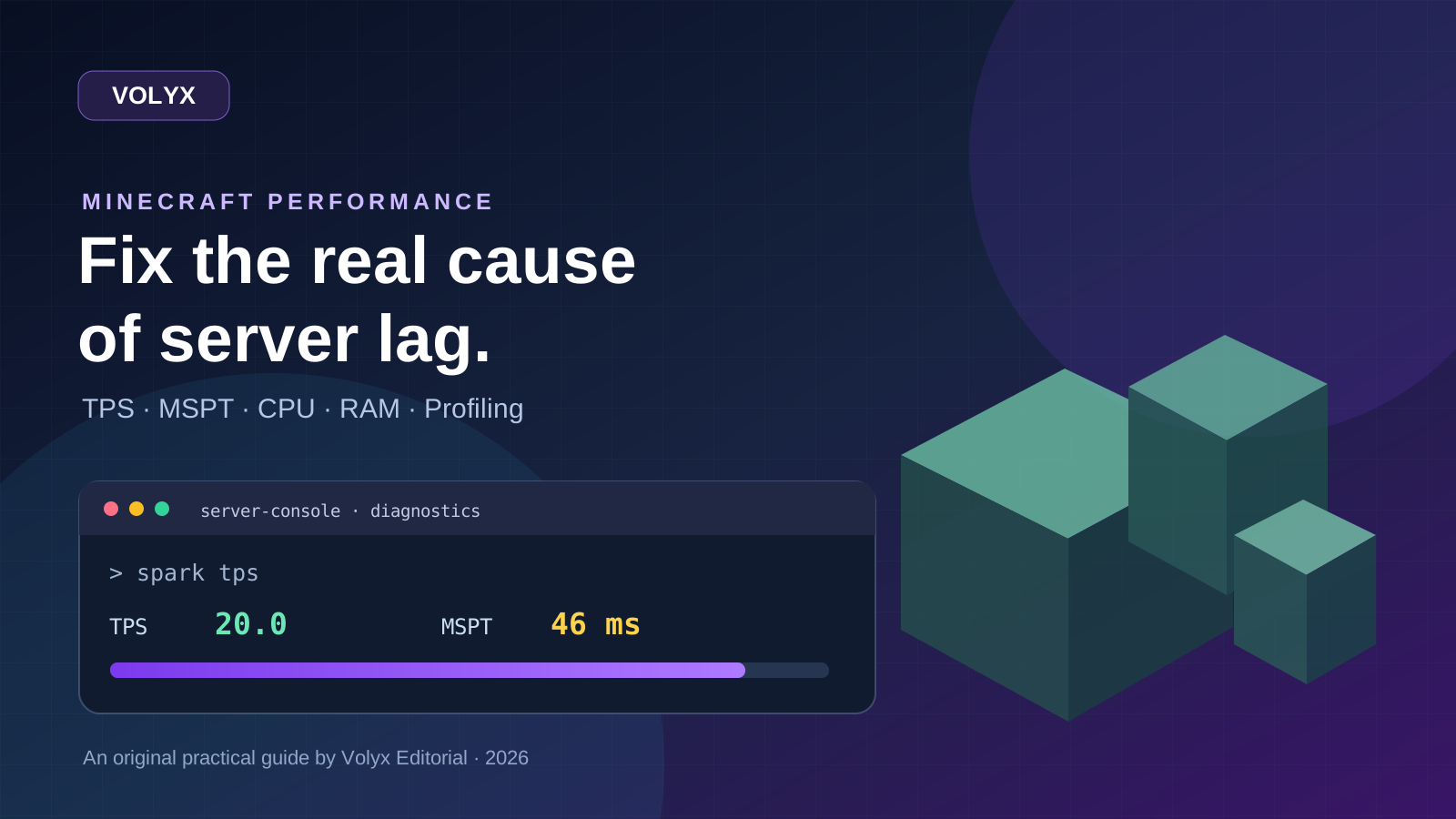
A practical, evidence-first guide to fixing Minecraft Java server lag: read TPS and MSPT, profile with spark, tune chunks, and diagnose CPU, memory and plugins.
Read article ↗
Learn the difference between DDoS floods and Minecraft bot raids, secure a Paper or Velocity server, compare TCPShield and Cloudflare, and respond safely using Volyx.
Read article ↗
Compare five real MIT-licensed JavaScript, TypeScript, and Python Discord bot starters, then learn how to deploy one safely on Volyx.
Read article ↗